Designed an AI-Powered Prioritization System for Faster Compliance
Overview
Role
Product Designer,
Independent Contributor
Timeline
6 months
Project type
B2B SaaS · AI Product Design · GRC Workflow
Context
Self-initiated project while contracted at Vanta as internal events support. Grounded in Vanta's own GRC user research & internal strategy documents. Technical feasibility confirmed by a Vanta engineer.
Problem
Vanta helps companies reach compliance in two weeks, but teams start with 30–50 failing controls & no clear path forward. The product shows what's failing — not what to fix first.
Solution
I used Vanta's AI agent to design a prioritization system from live data that ranks controls by urgency, surfaces why each is failing, & assigns accountability so nothing fails silently. I designed:
- The AI prompt architecture: prompt logic, guardrails, & response formatting to produce reliable, user-centered AI output
- Prioritization table: primary UI, transforms complex findings into an actionable priority list
- Owner assignment panel: enables clear ownership & next steps for every task
- High-fidelity task flow: the interaction from gap identified to ownership confirmed, ensuring no control, document, or test is left unassigned
Impact
Program managers move faster — from 30–50 unranked controls to a clear, delegated action plan.
About
Vanta, a B2B SaaS Governance, Security, and Compliance (GRC) Platform.
Vanta is a B2B SaaS platform that helps companies auto-check their tools, find security issues, & collect evidence to pass compliance audits (i.e. SOC 2, ISO 27001, HIPAA).
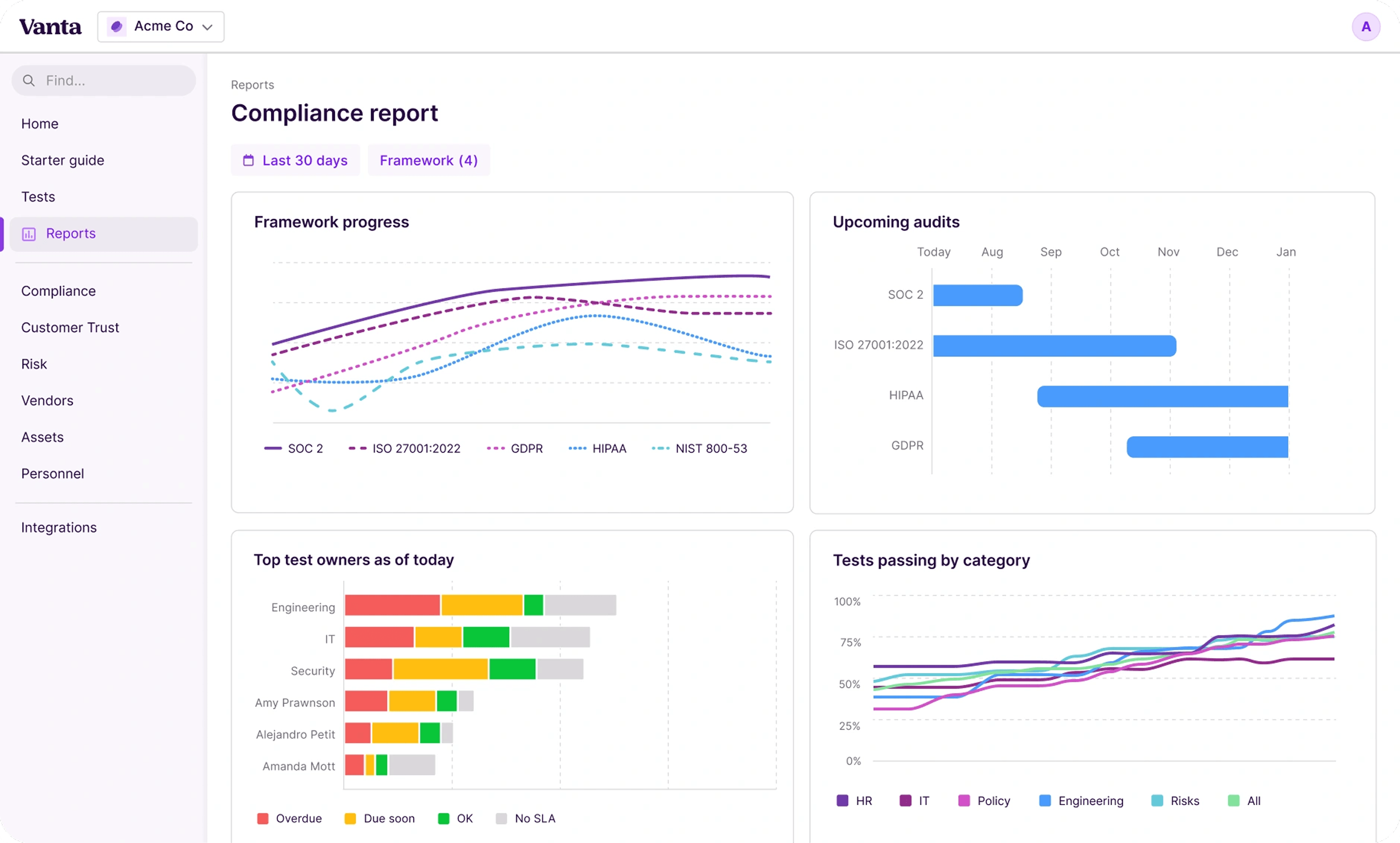
RESEARCH
To identify the most important user and business problem, I...

Interviewed a Vanta product designer

Explored the platform & user flows

Reviewed internal strategy & user documents

Used Vanta's AI agent for product understanding
...and identified the following user problems.
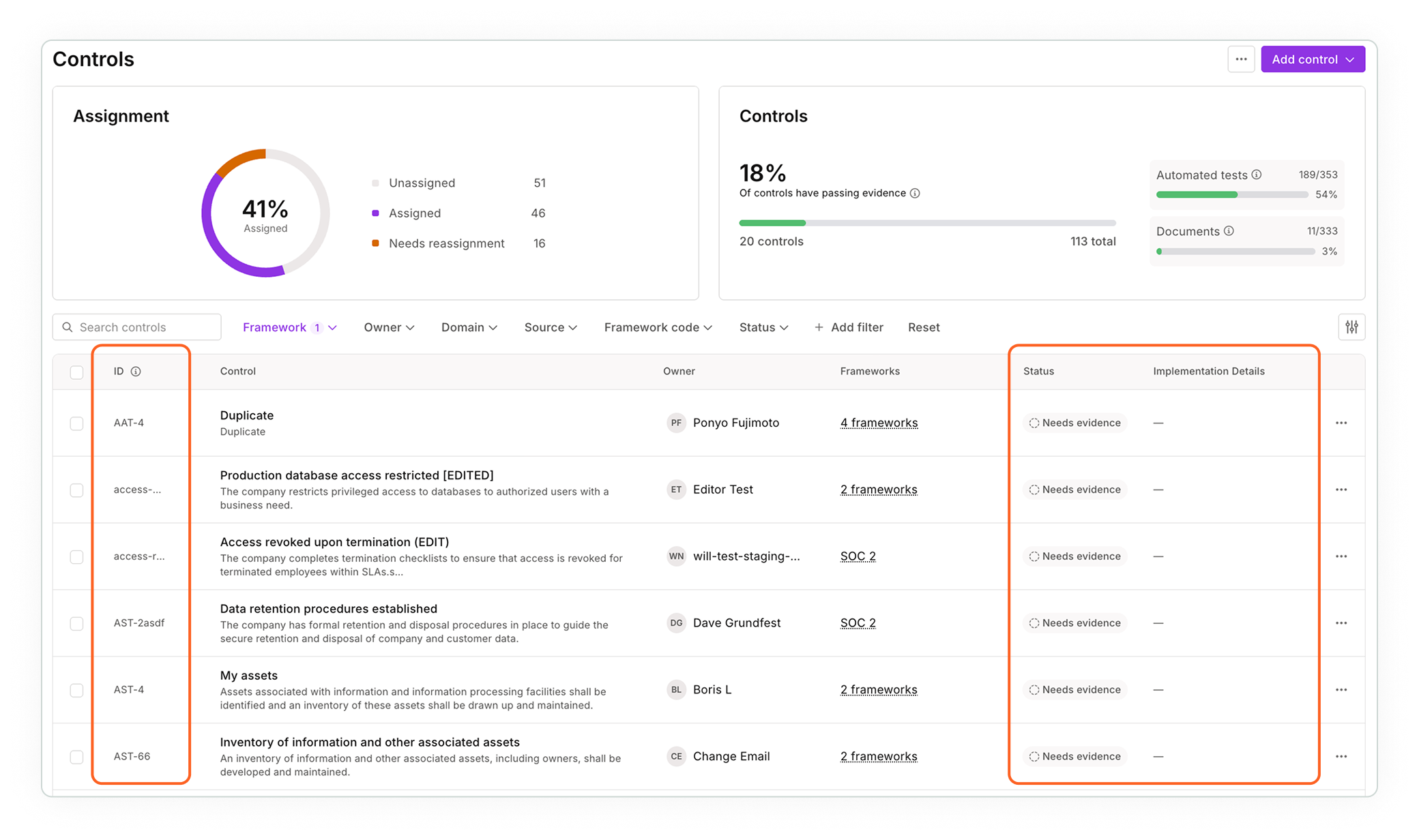
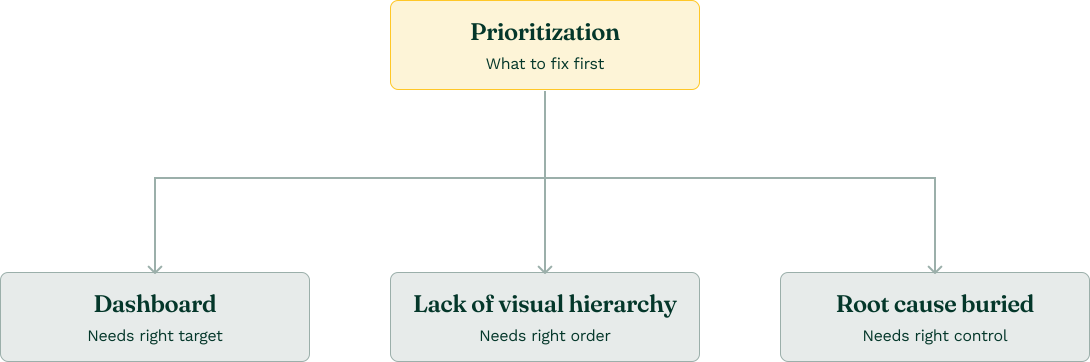
 No prioritization method
Product surfaces ~30-50 compliance issues per framework with no signal on what to fix first.
Lack of visual hierarchy
No distinction between urgent & routine, causing decision fatigue.
Root cause buried
Users were frustrated not knowing how to remediate tasks.
Dashboard lacking direction
Shows monitoring counts, not actionable signals; creates anxiety not direction.
Prioritization was the most important problem to solve.
Alphabetical sort improves organization, not prioritization or execution. Vague status & missing implementation details leave users unclear on next steps.
THE USER
Prioritization impacts Program Pam’s work the most, who manages compliance and makes sure the work gets done.

PAM'S NEEDS
 Action without paralysis
When 30-50 controls are failing, she needs a ranked list to act on.
💡 Understand root cause failure
She needs to understand why a control is failing & steps to fix.
📊 Prove progress
She needs a clear, exportable view for leadership.
↓
Design success looks like...
↓
PREDICTED OUTCOMES
🎯 Faster action
Pam knows what to work on first without manually reviewing all failing controls.
 Faster remediation
Pam gets controls to passing faster.
📑 Leadership-ready
Pam easily exports a full picture of what’s being prioritized & why.
DESIGN PROCESS
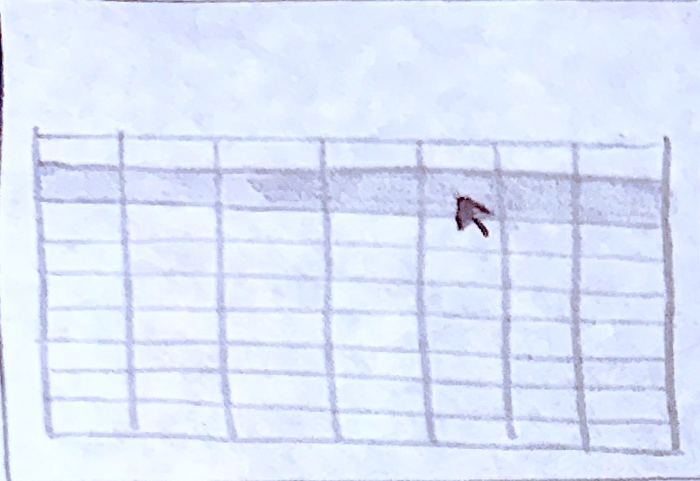
I led with design instinct and mocked up a lofi table. Then used AI to evaluate alternatives.
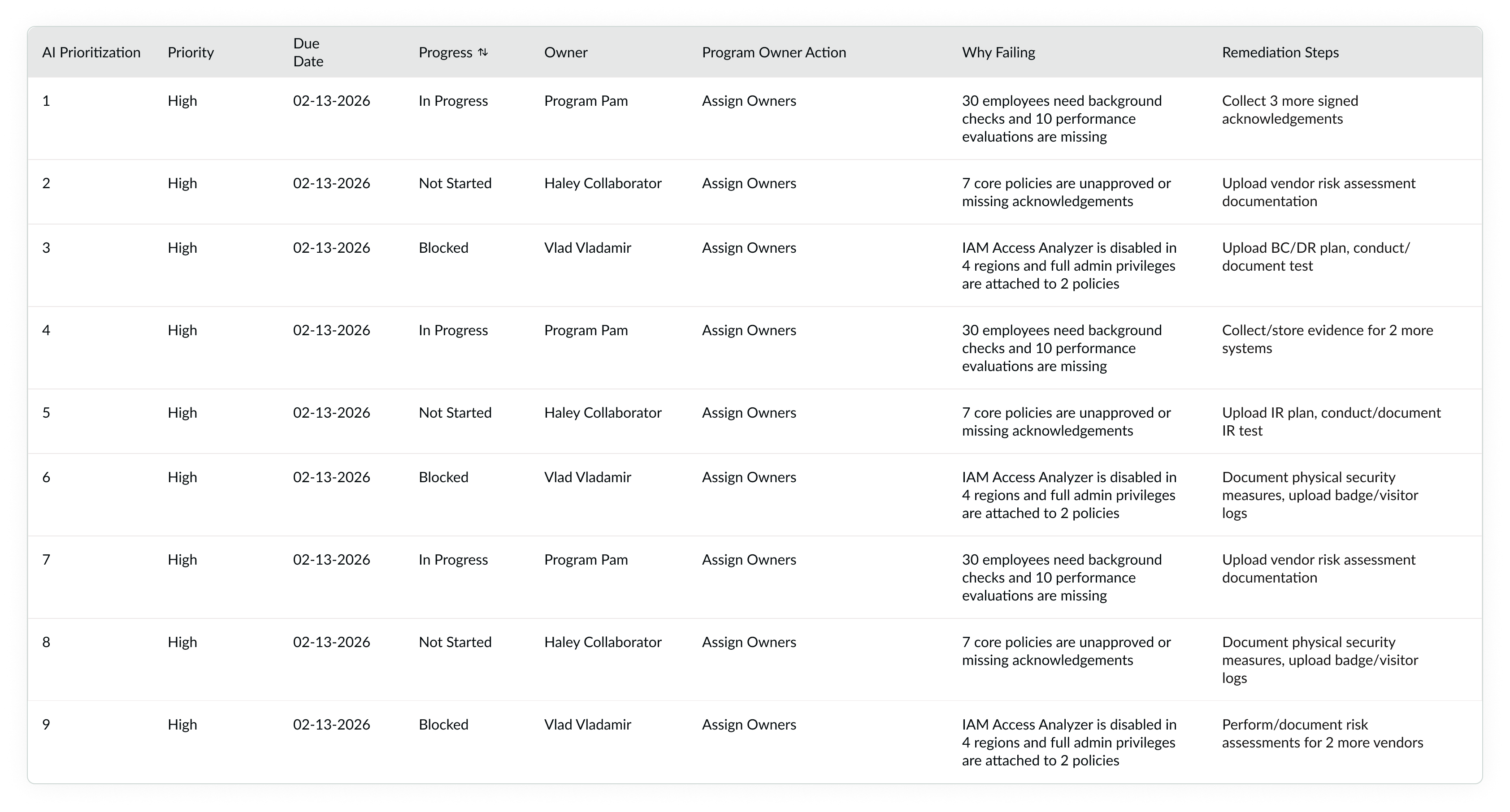
Pam needs to see many tasks at once without getting overwhelmed. I drew on prior experience designing prioritization views & designed a ranked table.
Then I used Claude AI to explore popular compliance prioritization tools & lofi mocked up 2 alternatives.
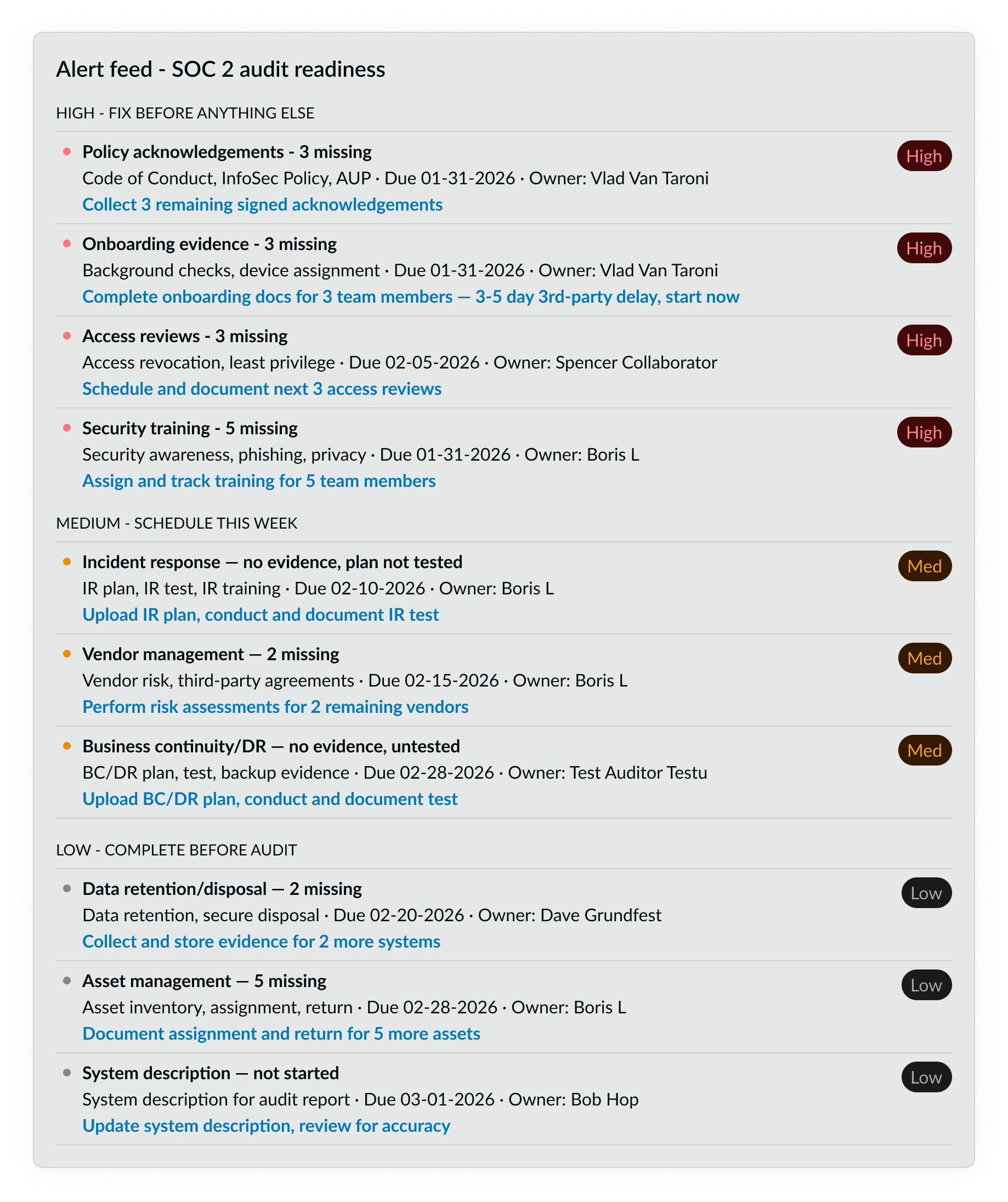
Alert Feed
Good for sequential ordering; breaks down when Pam needs to work on tasks in parallel.
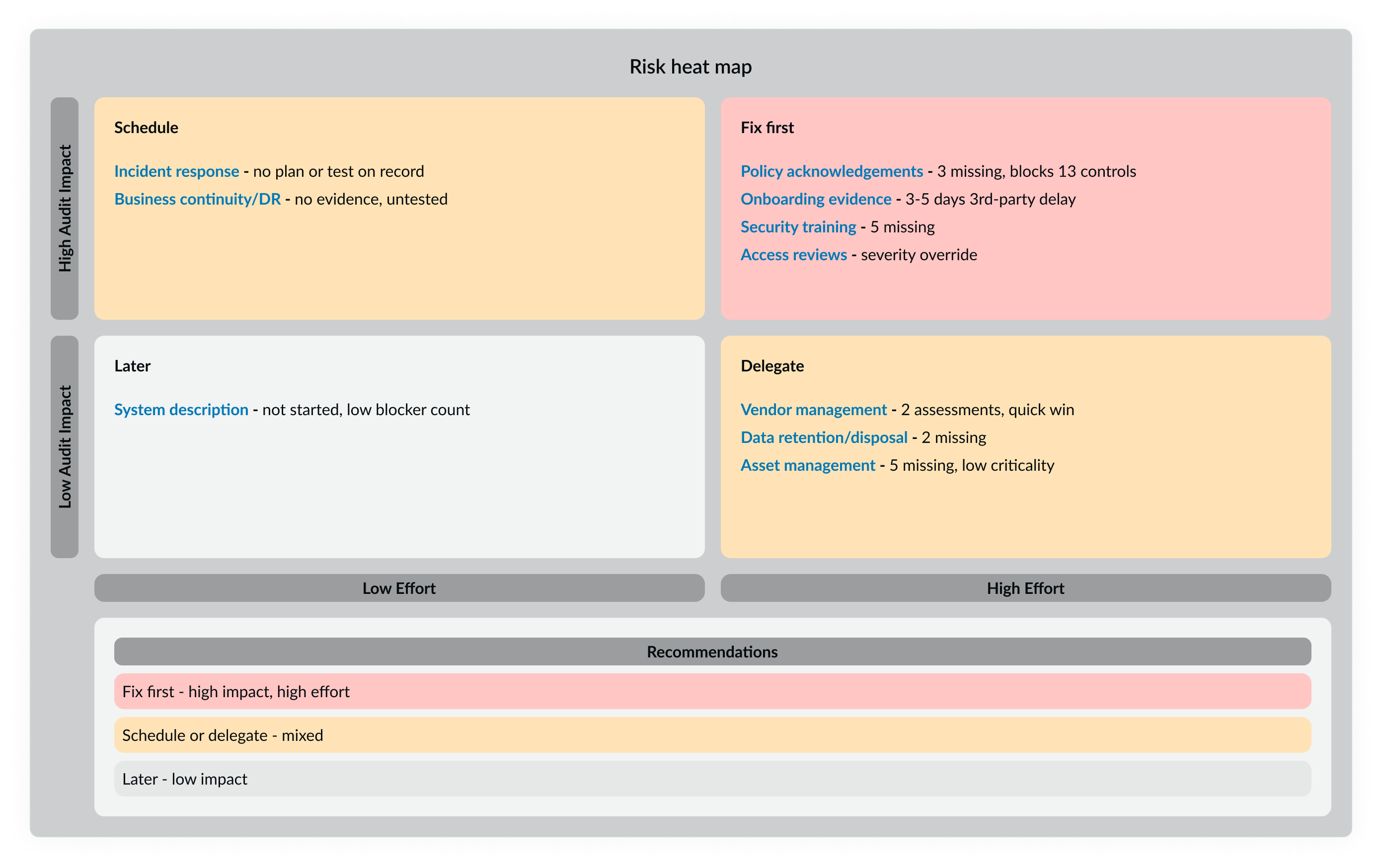
Risk heat map
Plots issues by effort vs. impact; strategic snapshot, but difficult for Pam to track progress.
Selected — Ranked Table
More data in view allows Pam to compare progress, act on rows when higher-priority rows are blocked, & share progress with leadership.
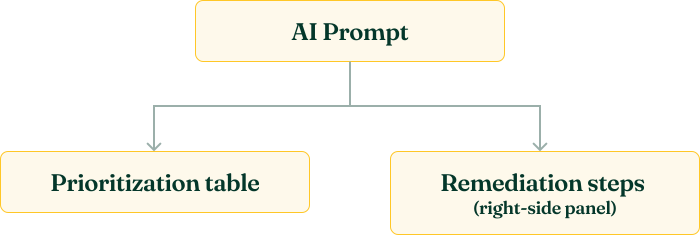
Before iteration, I confirmed feasibility with an engineer.
As an after-hours passion project, I didn’t want to create work for the AI engineering team. I shared my idea with an engineer then iterated.

PROMPT & TABLE ITERATIONS
I designed 3 interconnected artifacts: an AI prompt, a prioritization table, and remediation steps within a slide-out panel.
I iteratively fine-tuned the AI prompt first, testing with live Vanta data & correcting errors until the logic was accurate enough to design from.
Using my current, live Vanta data, generate a single actionable table that clusters related failing controls and evidence for SOC 2 audit readiness.
Strictly prioritize the table as follows:
Audit Readiness (critical path) first—what must be done to be audit ready.
Blocker/Coverage as the main tie-breaker—what unlocks the most other controls.
Severity override—critical risks jump the line.
Effort “quick win” boost—easy wins get pulled earlier when impact is similar.
For each cluster, include columns for:
Priority
Task/Clustered Control
Owner (Actual / Recommended)
Status
Due Date
Risk (Justification)
Effort
Coverage/Blockers (Exact Controls)
Why It’s Here (Rationale)
Why Failing (Live Data)
Next Steps (Process + Specifics)
At the bottom, add a final checklist of universal “last mile” tasks (e.g., review every remaining control, address unique/edge-case evidence, remediate any new automated test failures, confirm 100% passing in Vanta) to ensure nothing is missed for full SOC 2 compliance.
The goal is to maximize speed and efficiency to get to 100% passing and SOC 2 compliant as quickly as possible.
AI output
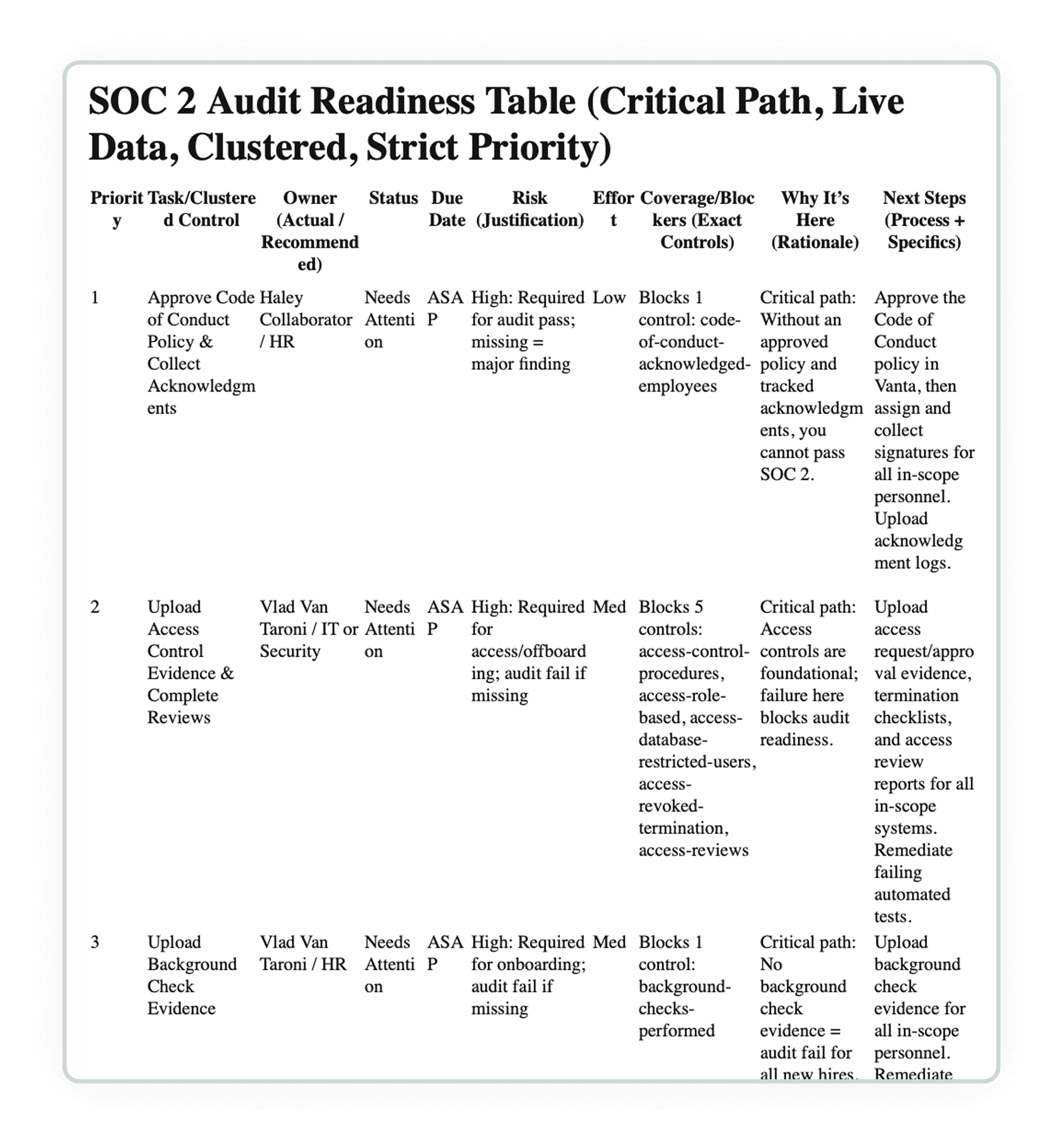
Designed prioritization table
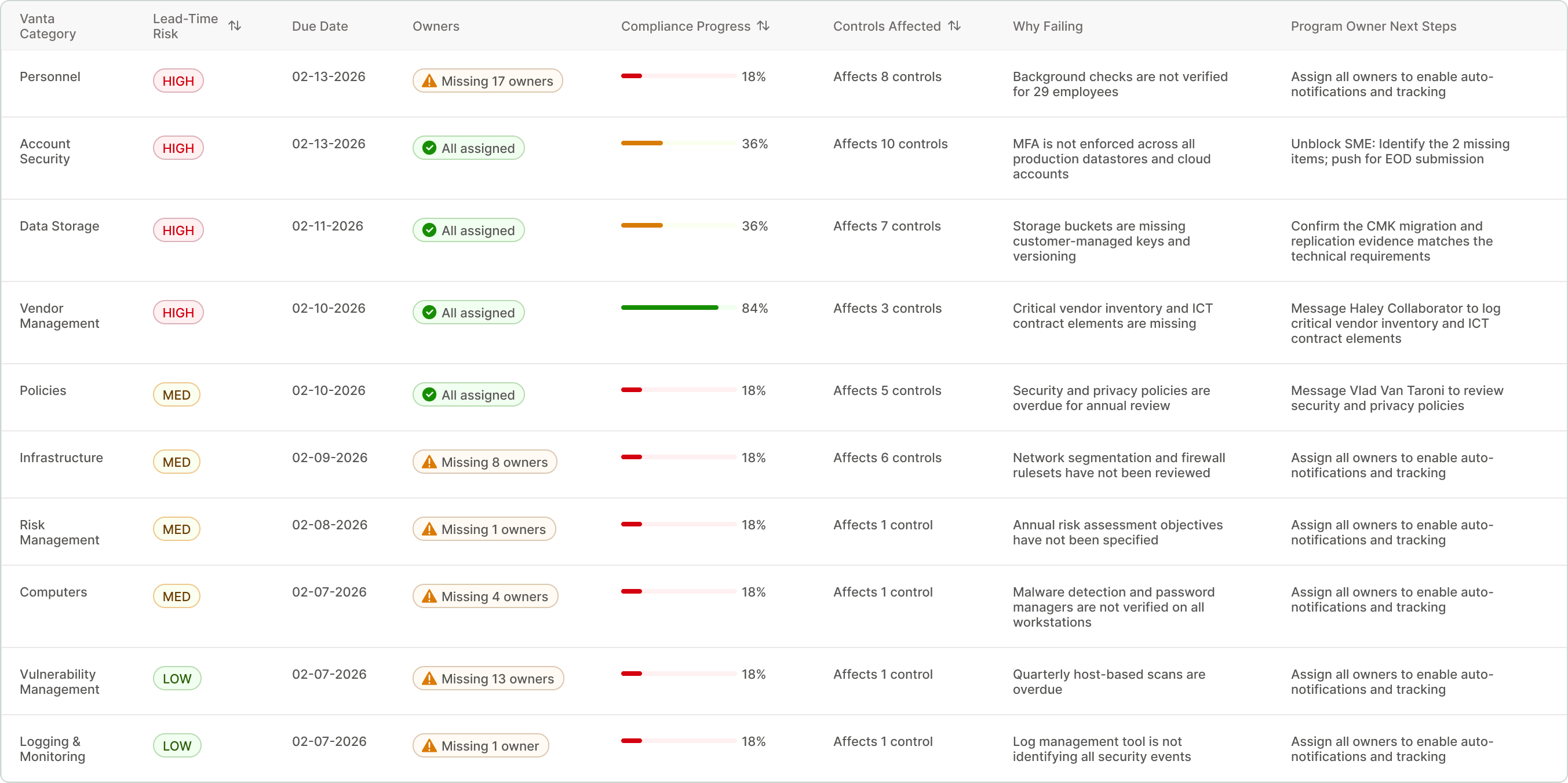
Ranks & groups controls by task-type, surfaces why controls are failing, & tells Pam next steps to fix
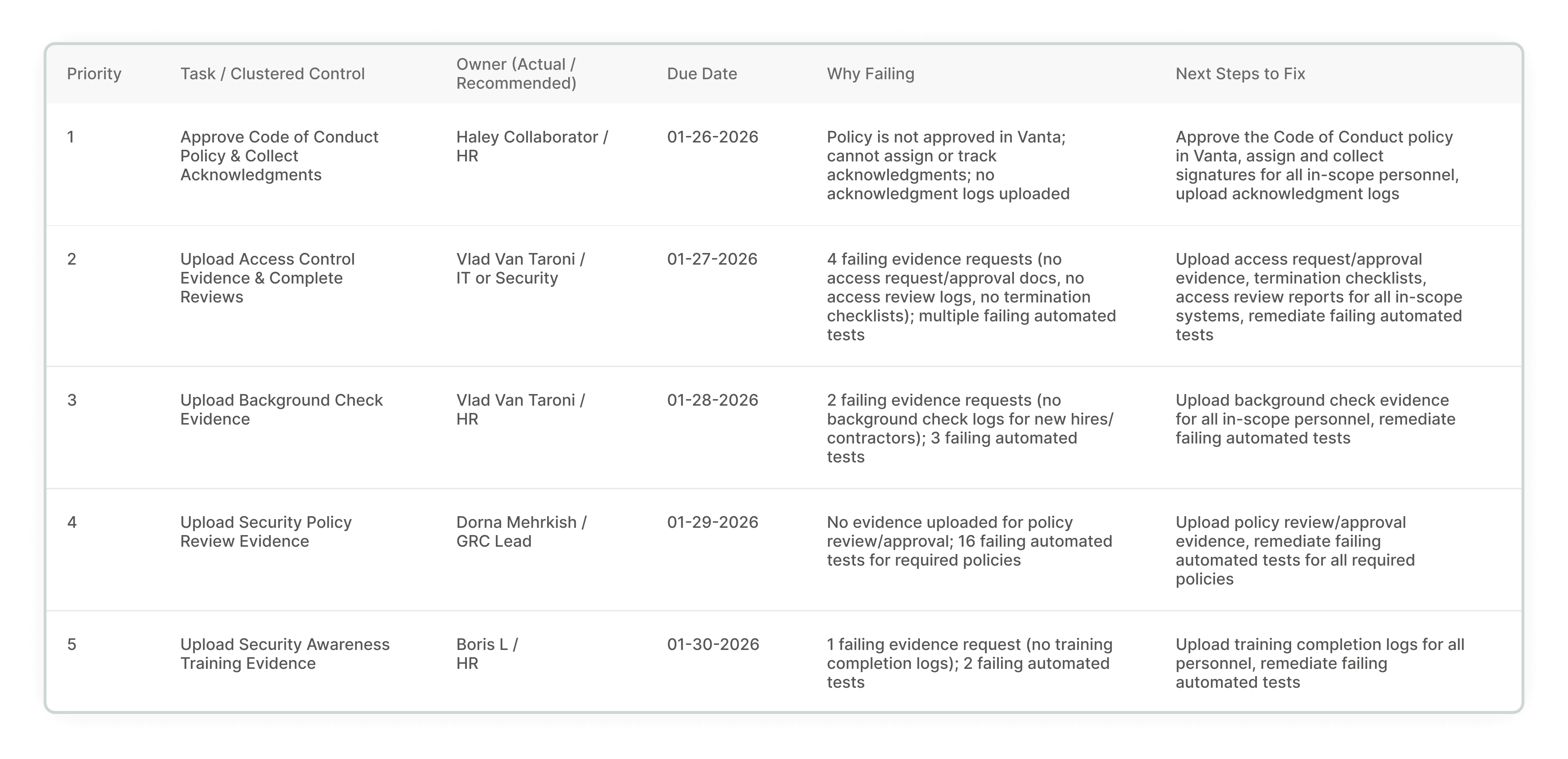
AI output
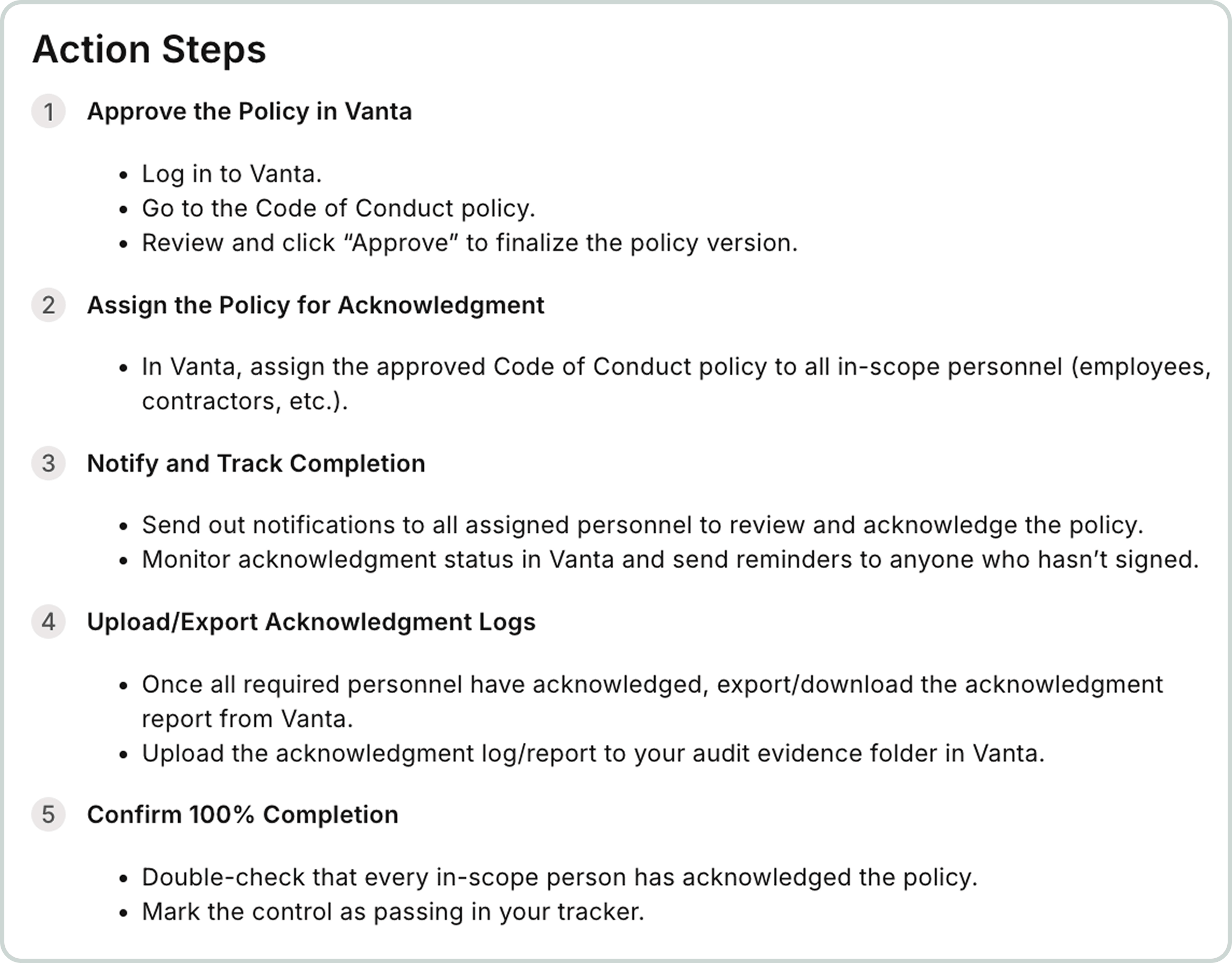
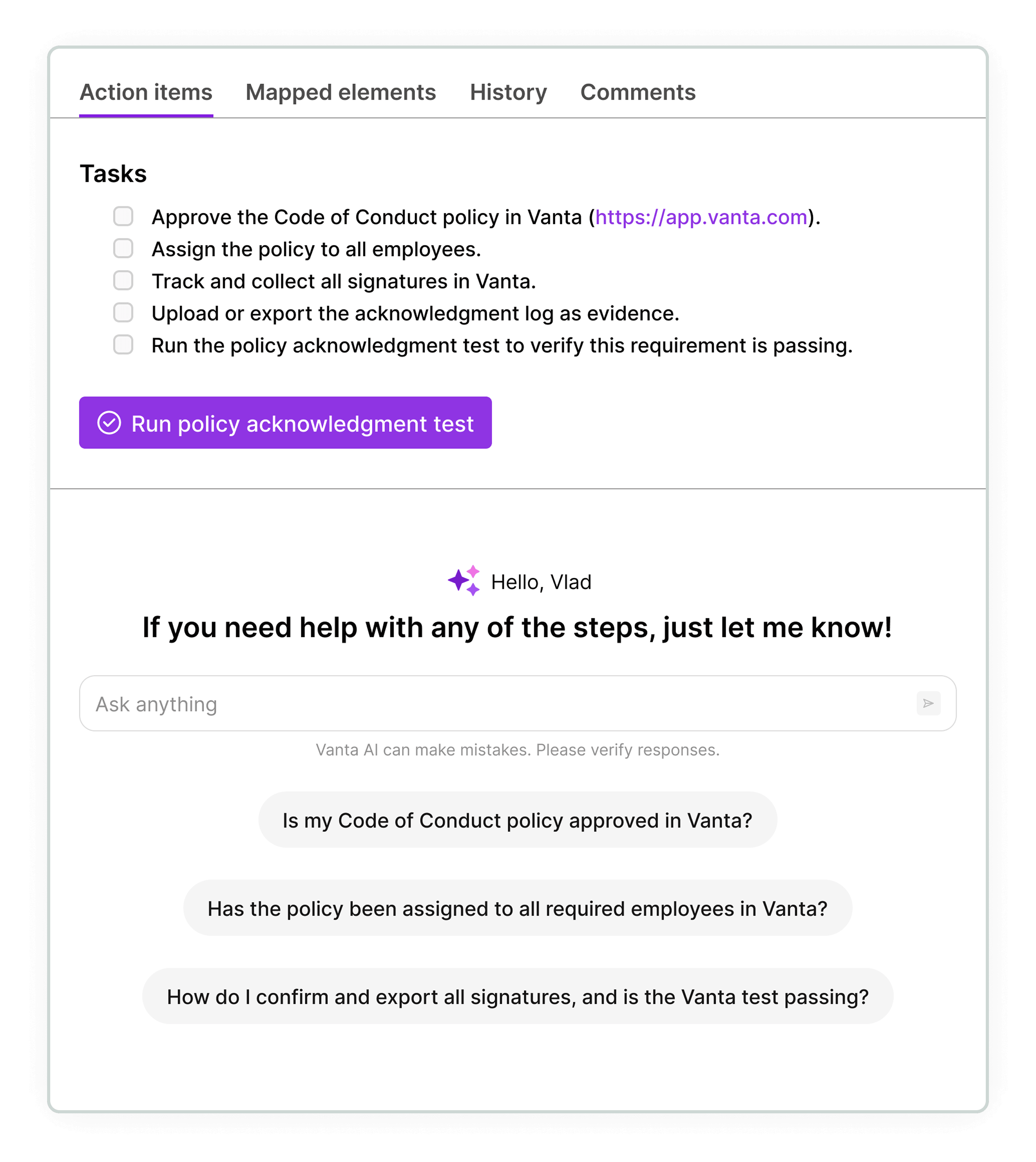
Designed remediation steps
Concise steps, real-time pass/fail status button, inline AI chat for quicker remediation
AI ERRORS
I didn't just give AI a prompt — I tested it, caught where it failed, and designed around those failures.
Invented data
Even after prompting to use live user data, AI fabricated compliance data, which would’ve resulted in a failed audit.
→
Added a mandatory pre-flight execution rule
Forced it to check every control's live status before generating output.
Row reshuffling
AI reorganized rows every refresh - Pam couldn't track progress.
→
Added fixed category & additive updates rules
Rows locked to Vanta's 10 native categories, & new gaps append to existing rows — never reshuffling.
AI drift
AI quietly simplified output over sessions, truncating data & merging categories without instruction.
→
Added anti-simplification & strict persistence rules
Forbidden from summarizing, clustering, or truncating data. AI cannot quietly drop a column or simplify a field between refresh.
PRODUCT GAP
A product gap surfaced, where assigning ownership to a parent control didn't auto-assign owners to child tasks — risking a failed audit.
Broken feedback loops
Unassigned tasks receive no alerts, fail silently, & risk a failed audit.
→
Prioritized assigning all owners
Pam must assign all owners before managing task completion.

At a scale of 50-100 failing controls, Pam can’t remediate everything alone. The ownership gap made that visible, which changed the design direction & user journey.
Initial design
Design pivot
Pam as a single owner remediating failed controls
→
Pam assigning team ownership to all controls & child tasks (documents, evidence, tests)
Initial flow - Pam remediating controls herself
Pam clicks row for details
Pam views the pre-ranked table, views the first row of what's failing & next steps to fix, then clicks on the row.
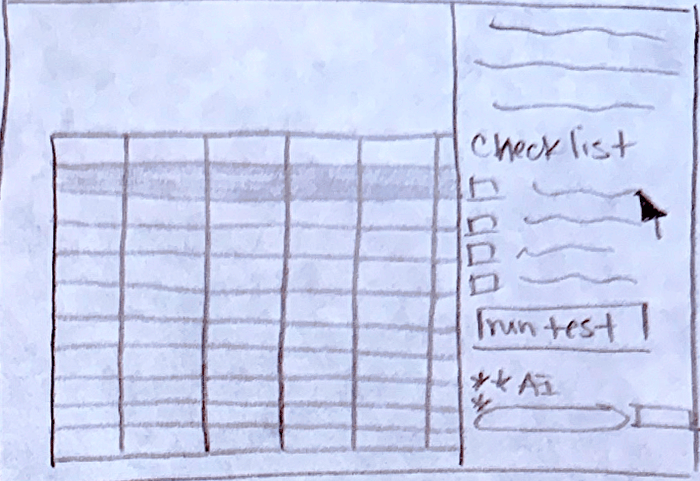
Remediation steps
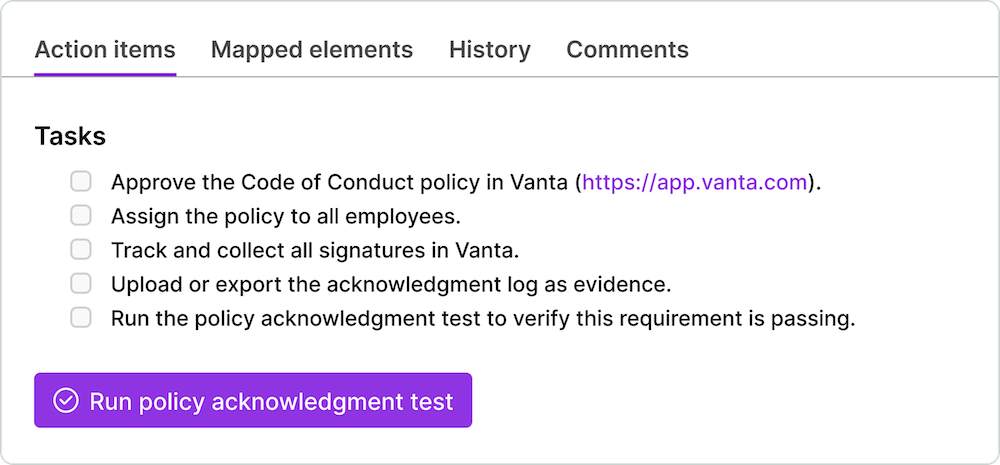
A panel slides out, showing a checklist of concise tasks to make the row passing. Pam clicks the link in the first task.
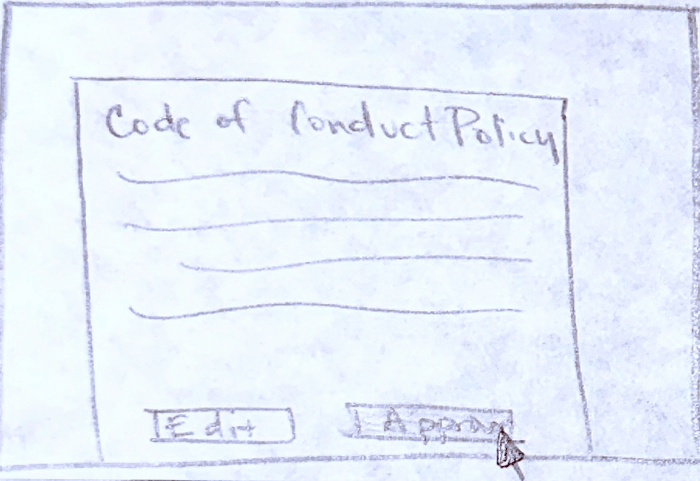
Task 1 completion
Pam reviews & approves the policy, completing task 1 of 2 in the checklist.
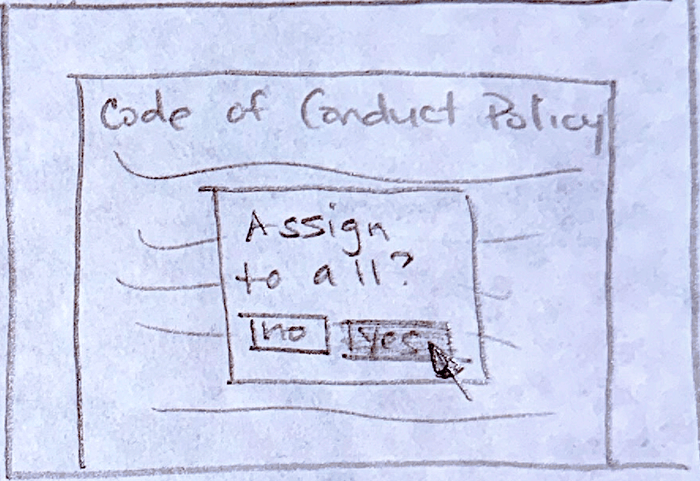
Task 2 completion
After approving the policy, Pam is prompted to assign policy to all employees (completing task 2 of 2 in the checklist).
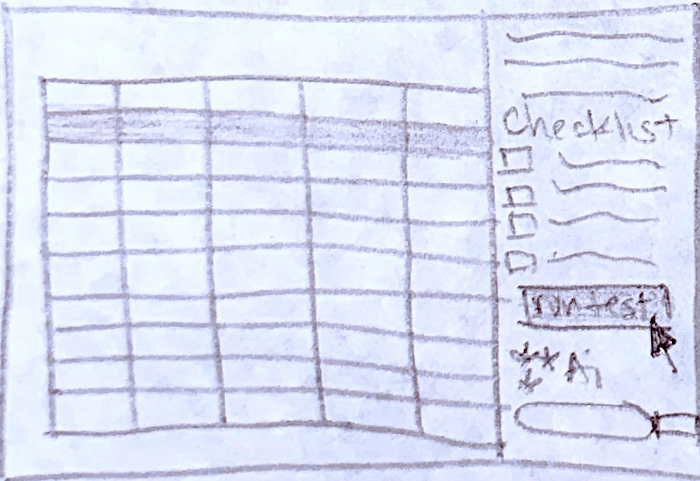
Run test to validate row
Pam opens the prioritization table view, selects the first row to open the right-side panel, & clicks run test button.
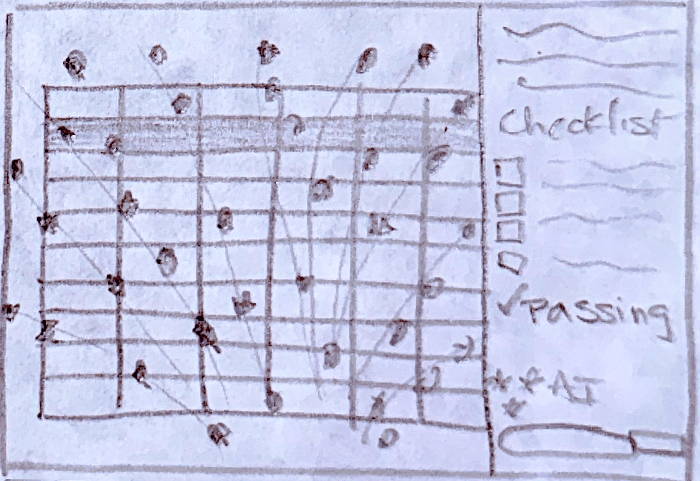
Celebration animation
3 second confetti animation shows on screen to celebrate the row as passing.
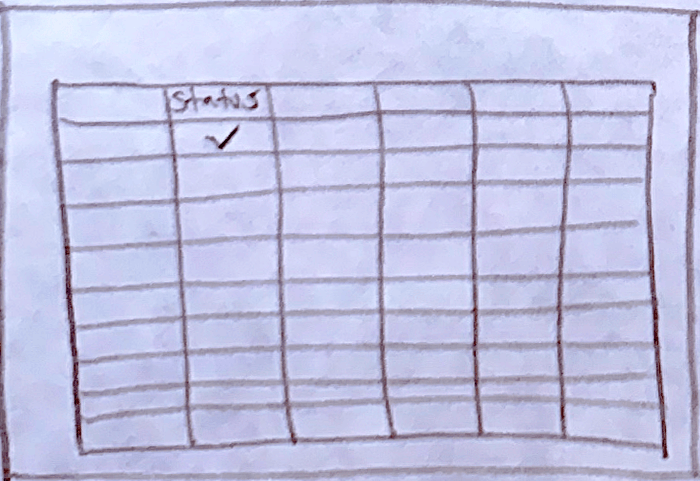
Row shows passing in table
The associated row in the prioritization table now shows 'passing' under status column instead of 'needs attention'.
Revised flow - Pam assigning owners to remediate controls
Pam clicks row for details
Pam views the pre-ranked table, views the first row of what's failing & next steps to fix, then clicks on the row.
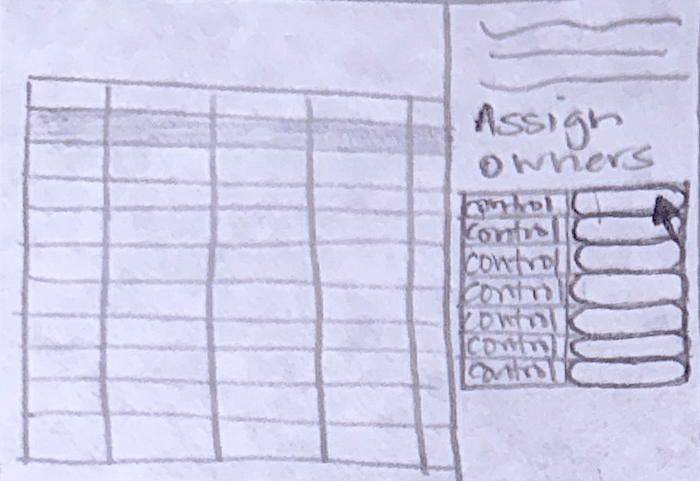
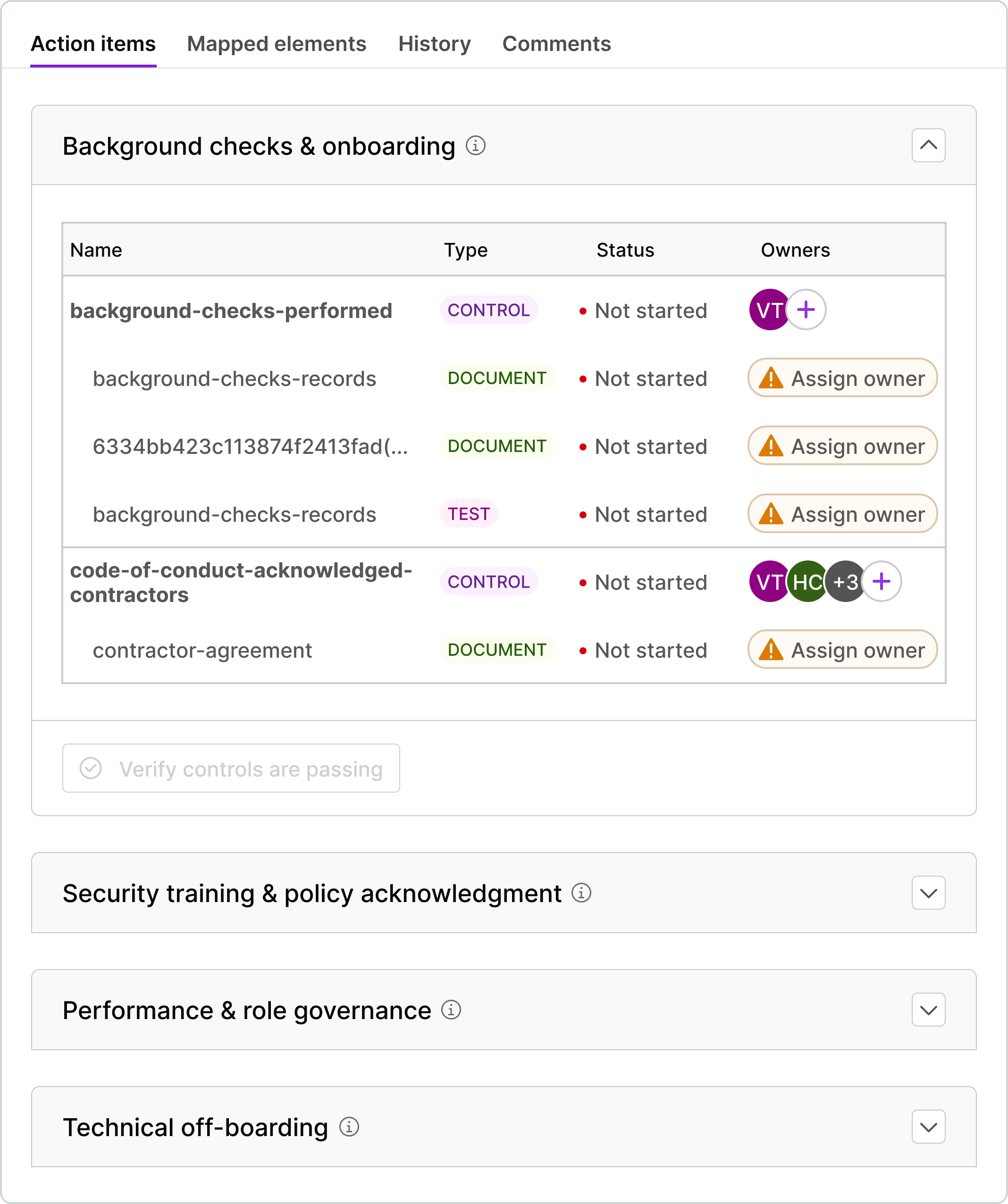
Right-panel to assign owners
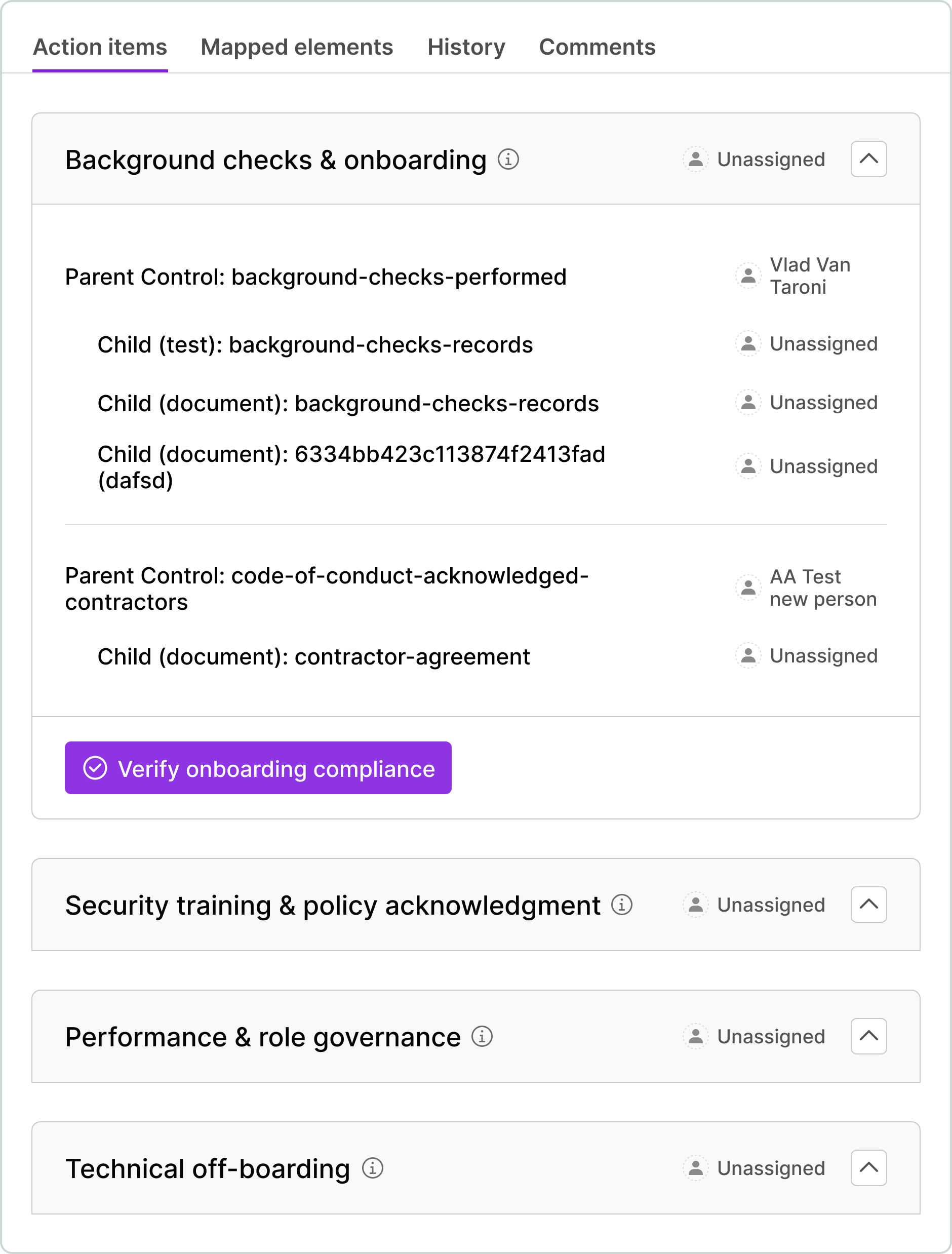
A panel slides out, showing controls, documents, & tests with no assigned owner.
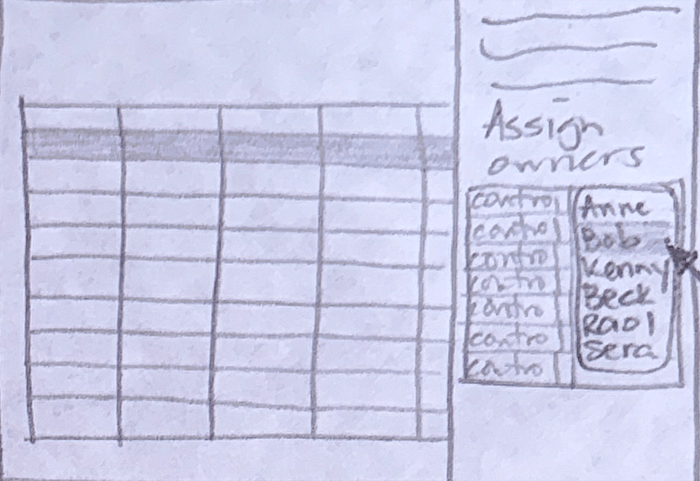
Pam selects owner from dropdown
Pam assigns each owner from a dropdown menu.
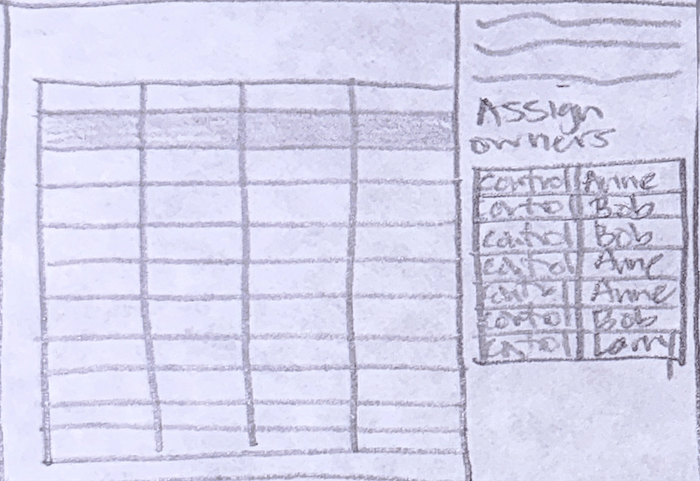
Pam assigns all owners
Pam assigns owners to all controls, documents, & tests.
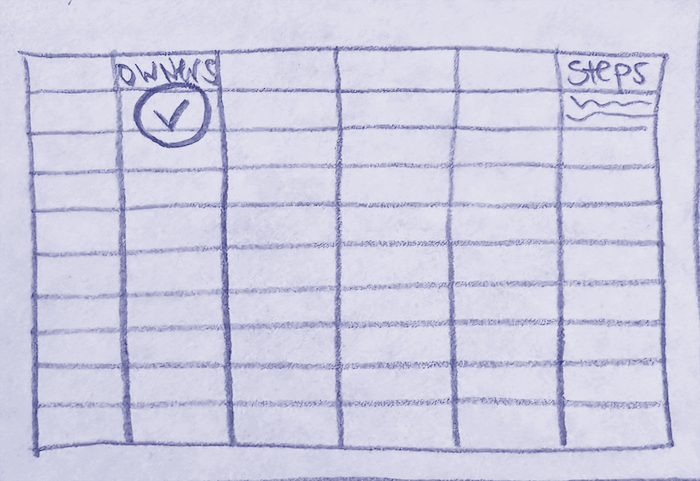
Pam views her next steps
‘Program owner next steps’ column now shows delegation/management steps.
ITERATION - TEAM OWNERSHIP
Role & Context: I am the SOC 2 Program Owner with a 1-week deadline. Using my live Vanta data, identify every failing or incomplete control and test mapped to SOC 2.
Mandatory Pre-Flight Execution: Before generating the table, you MUST call getControlDetailsAndStatus for every failing control ID. You are strictly forbidden from using high-level summaries from listControls to determine ownership. You must verify the assignees array for every individual control to ensure the 'Actual' owner names are accurate.
Hard-Coded Metadata Rules: The 'Empty Array' Override: You are strictly forbidden from using the Control Owner's name for any Test or Evidence Request. If the owner field in the getAutomatedTestDetails or getEvidenceRequestDetailsTool output is an empty array [], you MUST count it as Unassigned and label the owner as 'UNASSIGNED/Verify in App'.
The Deduplication Audit: Before populating the 'Unassigned' counts, deduplicate unique IDs. If one unassigned test is mapped to 5 controls, it counts as 1 unassigned test for that category.
The 'Actual Name' Anchor: Only use a name in the 'Program Owner Action' column if that specific name was returned in the owner field of the sub-item tool call.
Table Structure & Sorting: Fixed Categorization: Organize gaps exclusively into: Personnel, Policies, Account Security, Infrastructure, Data Storage, Computers, Vulnerability Management, Risk Management, Logging & Monitoring, and Vendor Management. Omit categories with 0 failing items.
Primary Sort: Lead-Time Risk first, then Blocker Volume, then Audit Criticality.
Column Formatting (PM View): [Vanta Category] [Are all controls, evidence requests, and tests assigned?]: Line 1: '[#] unassigned controls' Line 2: '[#] unassigned evidence requests' Line 3: '[#] unassigned tests' [Lead-Time Risk & Rationale]: Format: '[LEVEL]: [Rationale]'. [# of Controls Blocked]: Format: 'X (+Y shared from [Full Framework Name])'. [Effort & Rationale]: 'Low/Med/High' + 5-word rationale. [Why Failing (Live Data)]: Exact count of failing tests/controls + 1-sentence summary. [Anticipated Due Date]: Hard-coded date (YYYY-MM-DD) based on the 1-week deadline. Do not include text like "Final Deadline" or "T-Minus". [Progress %]: Calculated as (Passing Items / Total Items) * 100 for that category. [Program Owner Action]: If any sub-item is unassigned: ‘Assign owners to all controls, evidence requests, and automated tests to trigger automated notifications and SLA tracking, and eliminate oversight gaps’ If all assigned: 'Verify [Actual Name] has initiated the remediation.' [Control/Evidence/Test Owner Tasks]: Bulleted high-level result required.
Stability & Integrity Rules: No Consolidation: Every category must remain a distinct row. No Hallucination: If an owner cannot be verified via tool call, write 'Unknown/Verify in App'.
No Conversational Filler: Start directly with the table. Data Density: Do not truncate or simplify; provide specific names and IDs.
Initial table
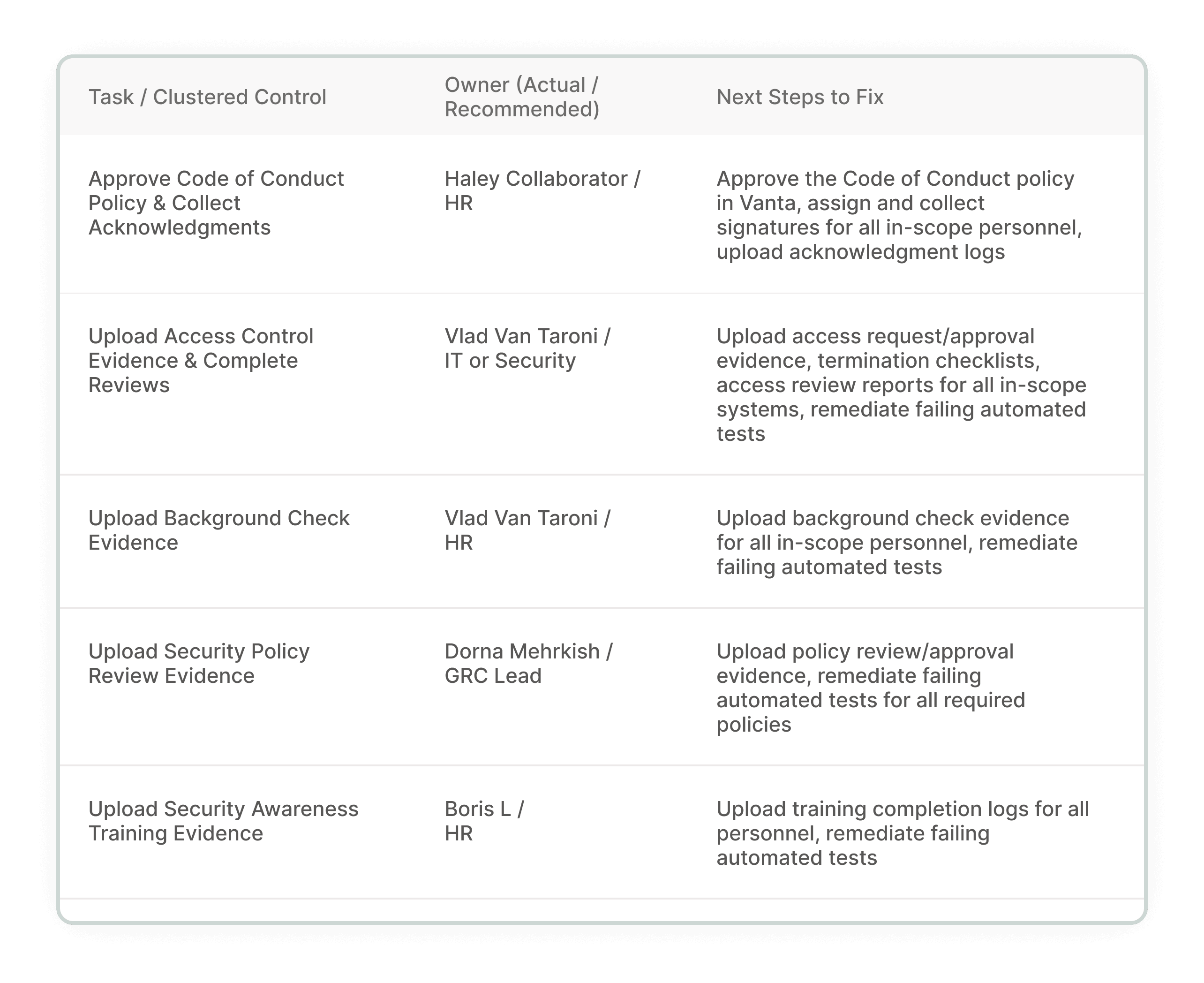
Re-designed table
Fixed categories to solve row reshuffling, owner assignment to solve ownership gap, Pam's role from execution to delegation
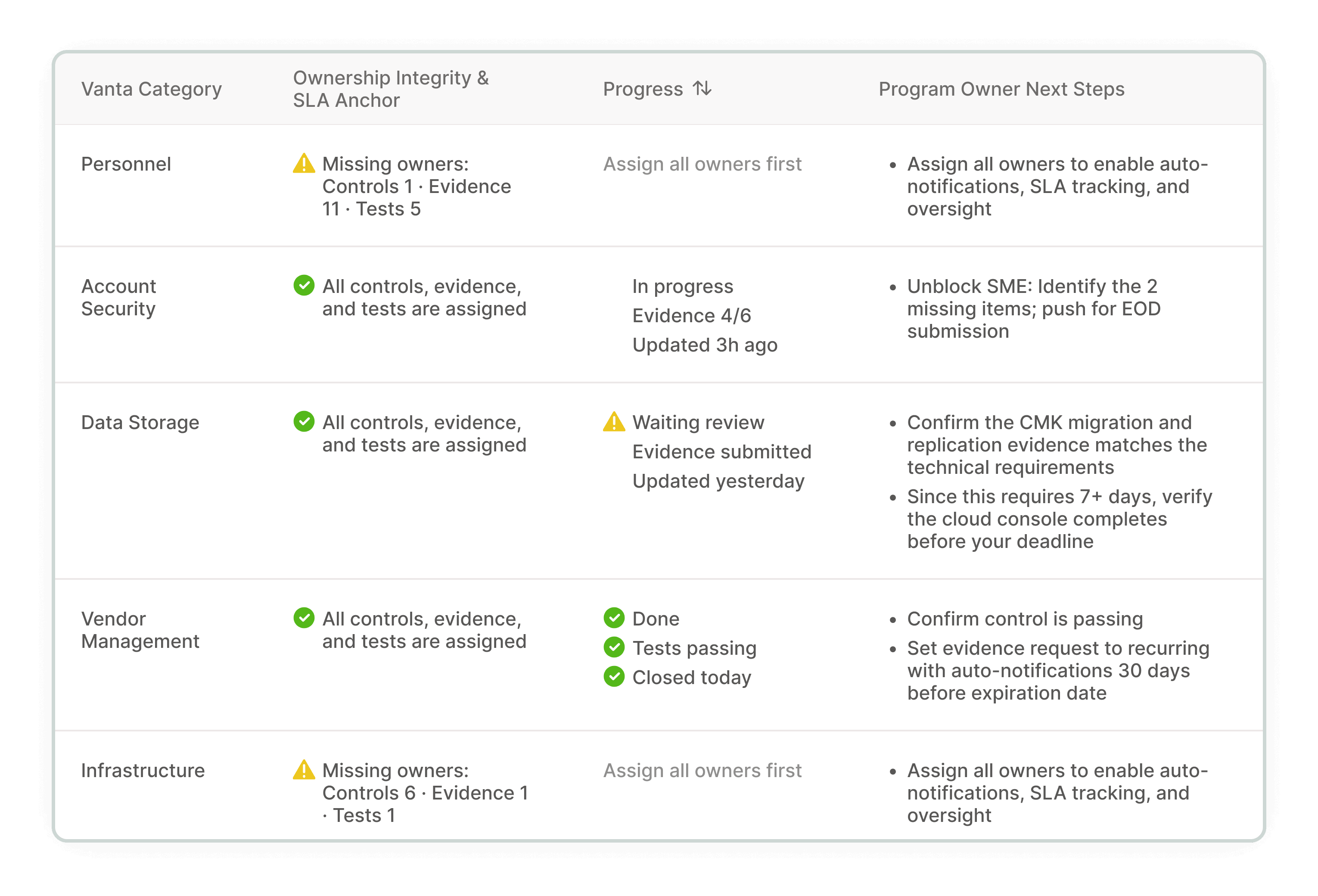
Initial panel
Remediation-focused
Re-designed panel
From remediation to assigning ownership for all tasks (Pam’s job to manage progress, not execute tasks)
FEEDBACK
I pitched to a product design manager. She confirmed the accountability gap was a meaningful find — but the table had too much data per cell.
Even though my contract ended shortly after, I revised the design.
Table before feedback
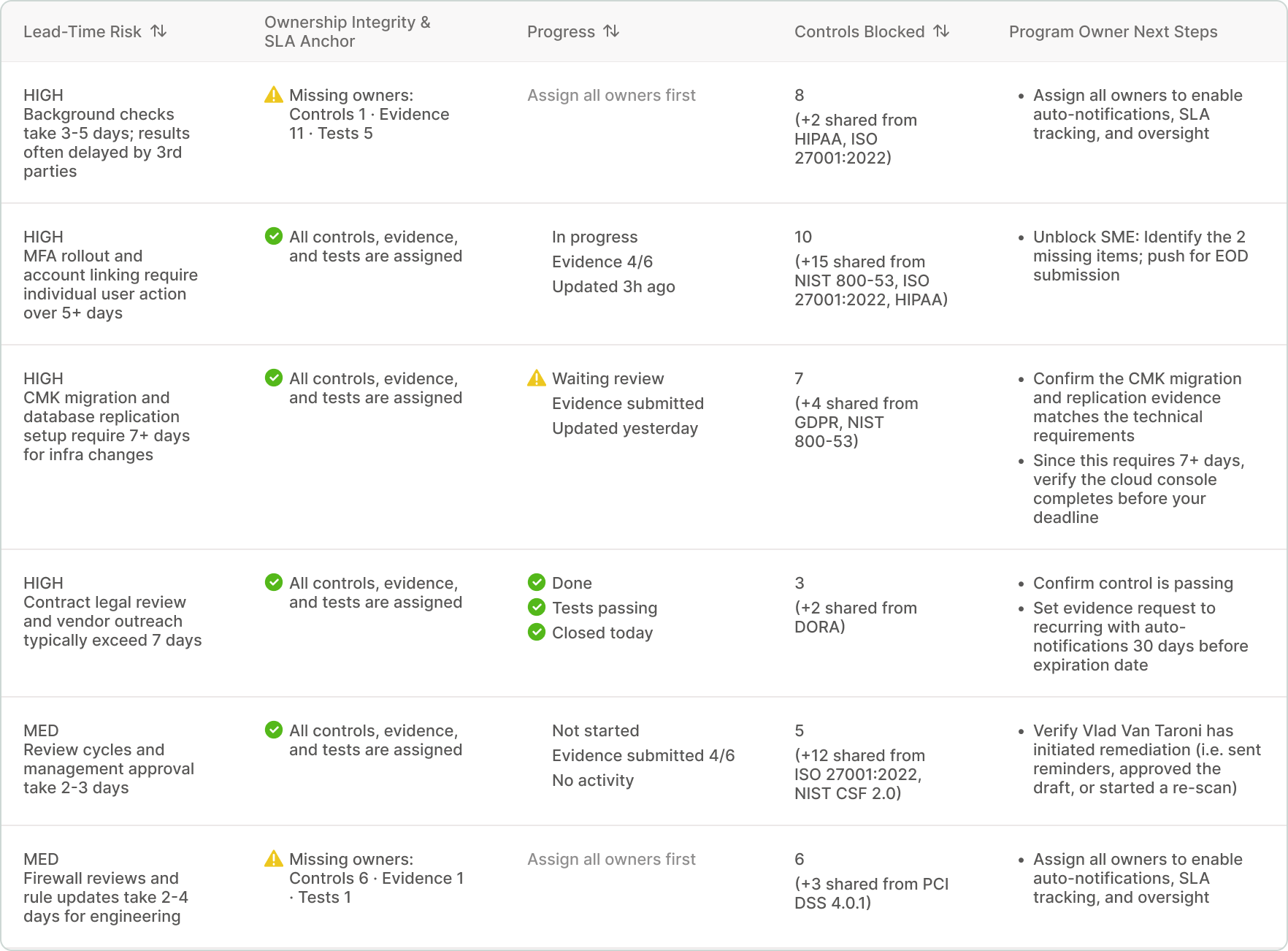
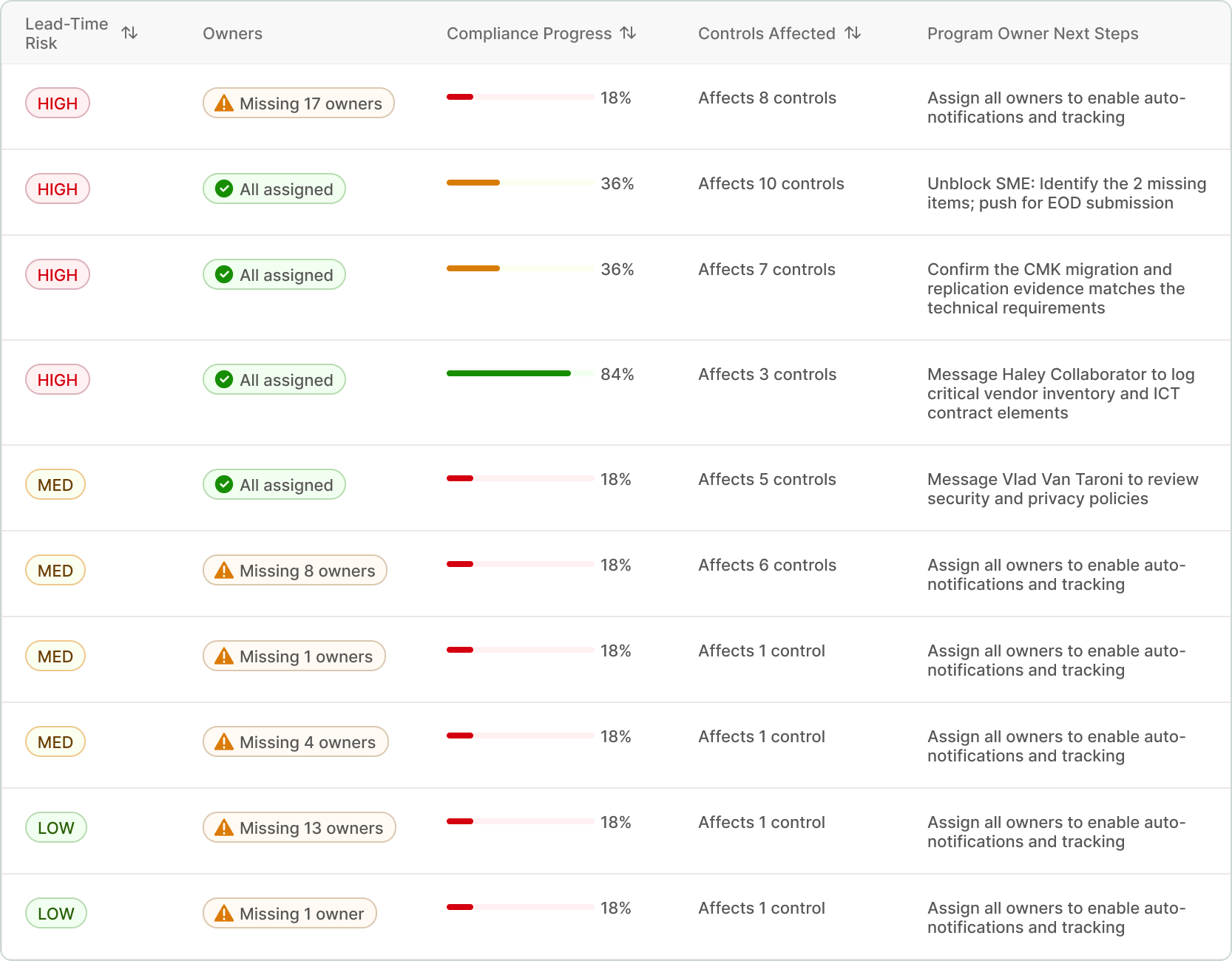
Table after feedback
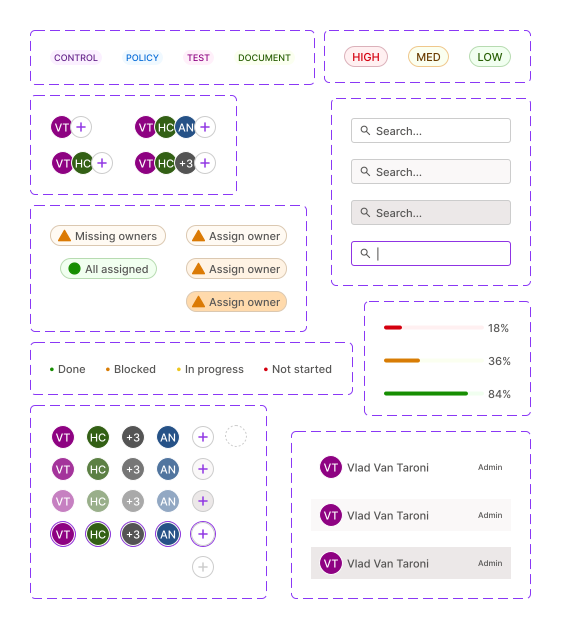
Colors, chips, progress bars, & reduced text improve scannability
Panel before feedback
Uses existing design patterns
Final panel
Chips, assign owner CTA button, & avatars for quicker action
Full table design
Designing for Faster Scanning and Intuitive Interactions
Final flow - Pam assigns owners to remediate controls
REFLECTION
What I'd do next.
Designing without a product team meant missing context that weekly EPD feedback would have caught — specifically, that remediation steps belonged to many owners, not Pam.
With more time, I'd collaborate with EPD & user test the table with real program managers, design the panel's remaining states and edge cases, & rework Vanta's My Work tab to include remediation steps — reducing the 26-minute task flow I surfaced during research.

Let's connect!
© 2026 Natasha Mislang