Reduced Recruiter Data Entry by ~90% with ATS Integration
Overview
Role
Sole Product Designer
Team
I collaborated with a talented team of customer success managers, developers, & a project manager.
Timeline
3 months
Project type
SaaS Web Application, B2B
Problem
Manually transferring candidate data from Mathison's Jobs platform into users' Applicant Tracking Systems (ATS) created a tedious bottleneck for recruiters, disrupting workflows & causing frustration.
Solution
I designed the end-to-end recruiter workflow for integrating the Jobs platform with users' ATS, enabling automatic candidate data sync.
I owned:
- 17 high-fidelity prototype flows
- Interaction design
- Content design
Impact
Reduced recruiter data entry by ~90% by replacing manual candidate transfer with an automated ATS sync.
By integrating directly into recruiters' existing workflows, the feature reduced friction & addressed a key retention risk. It remains live 3 years later, showing continued value.
About
Mathison Jobs: A B2B SaaS Platform Helping Companies Source Diverse Talent.
Mathison Jobs helps companies source qualified candidates from underrepresented communities by connecting recruiters to 3,000 diversity-focused networks, supporting DE&I hiring goals while expanding reach beyond traditional sourcing.
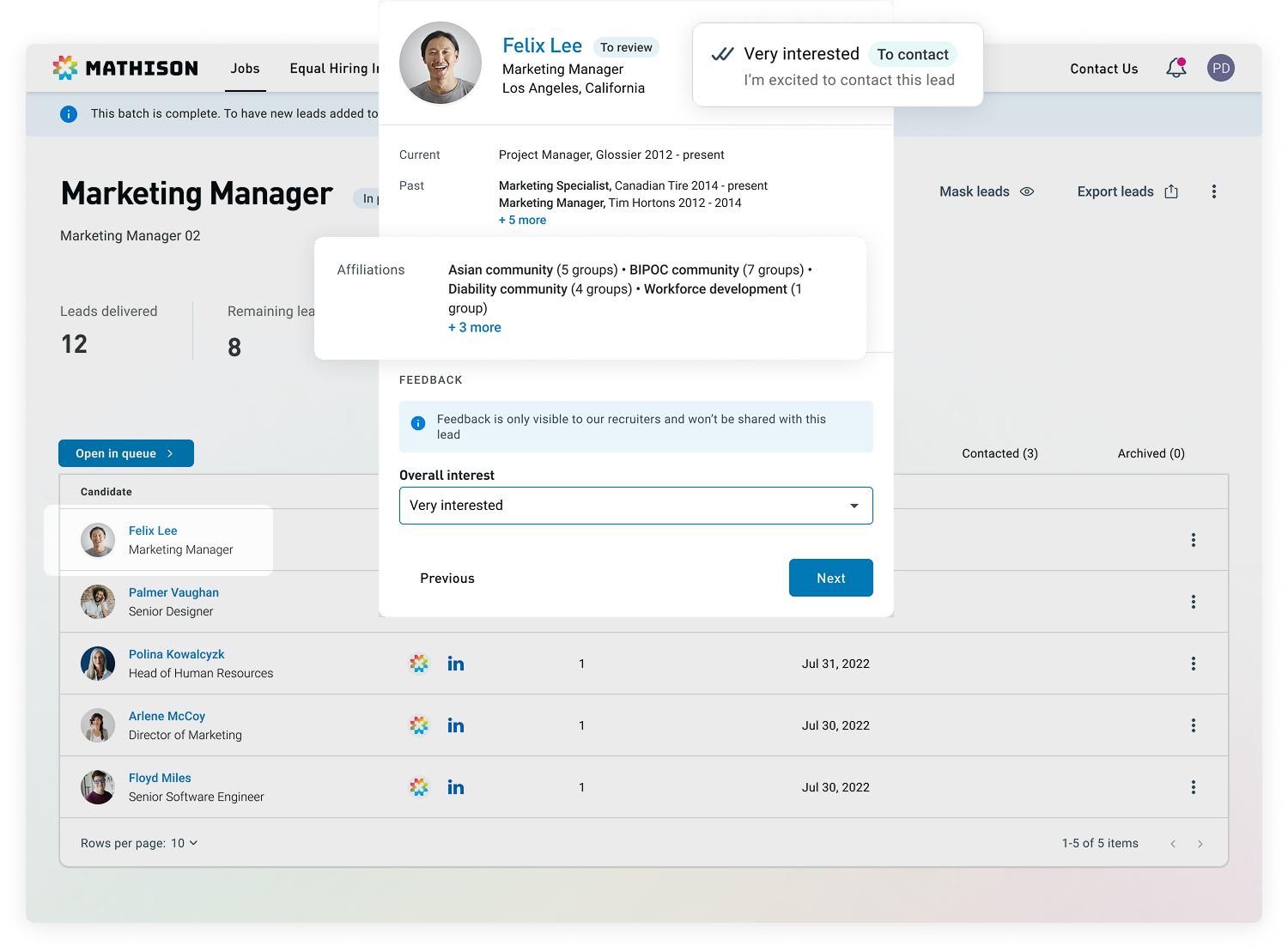
business problem
Workflow Friction from Manual Transfer Increased Churn Risk.
Recruiters relied on their ATS as the source of truth, but manual candidate data entry from Mathison to their ATS fragmented workflows, slowed hiring, & increased churn risk as competitors offered automation.
“Mathison provides us with diverse applicants which is great. But the time it takes us to input each candidate into our ATS, while other products in the market already automate this process, makes me consider other options.”
- Jobs Product User
“I’m doing a lot of work manually typing each lead into Lever (from Mathison Jobs) when I could be doing other work.”
- Jobs Product User
Research
Understanding the Problem Space.
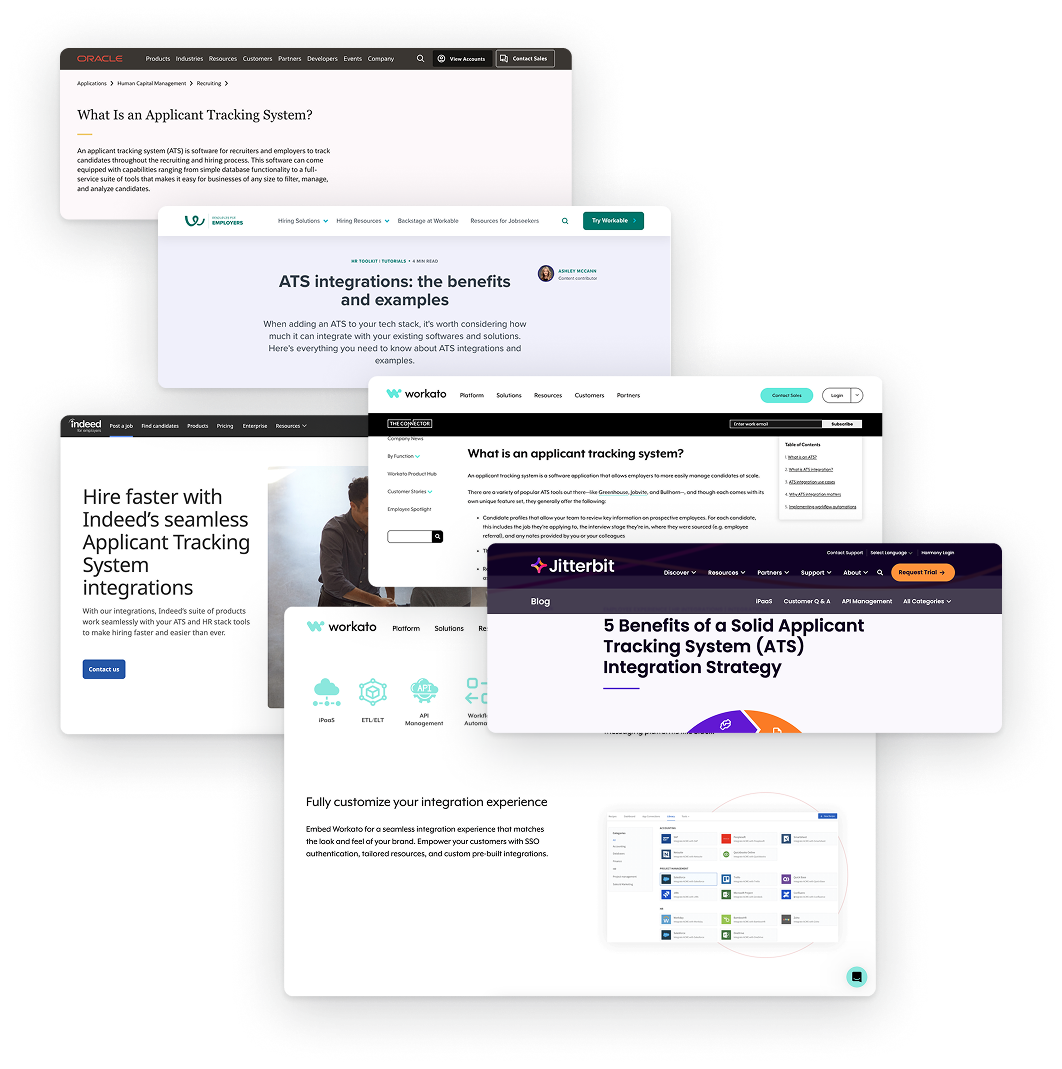
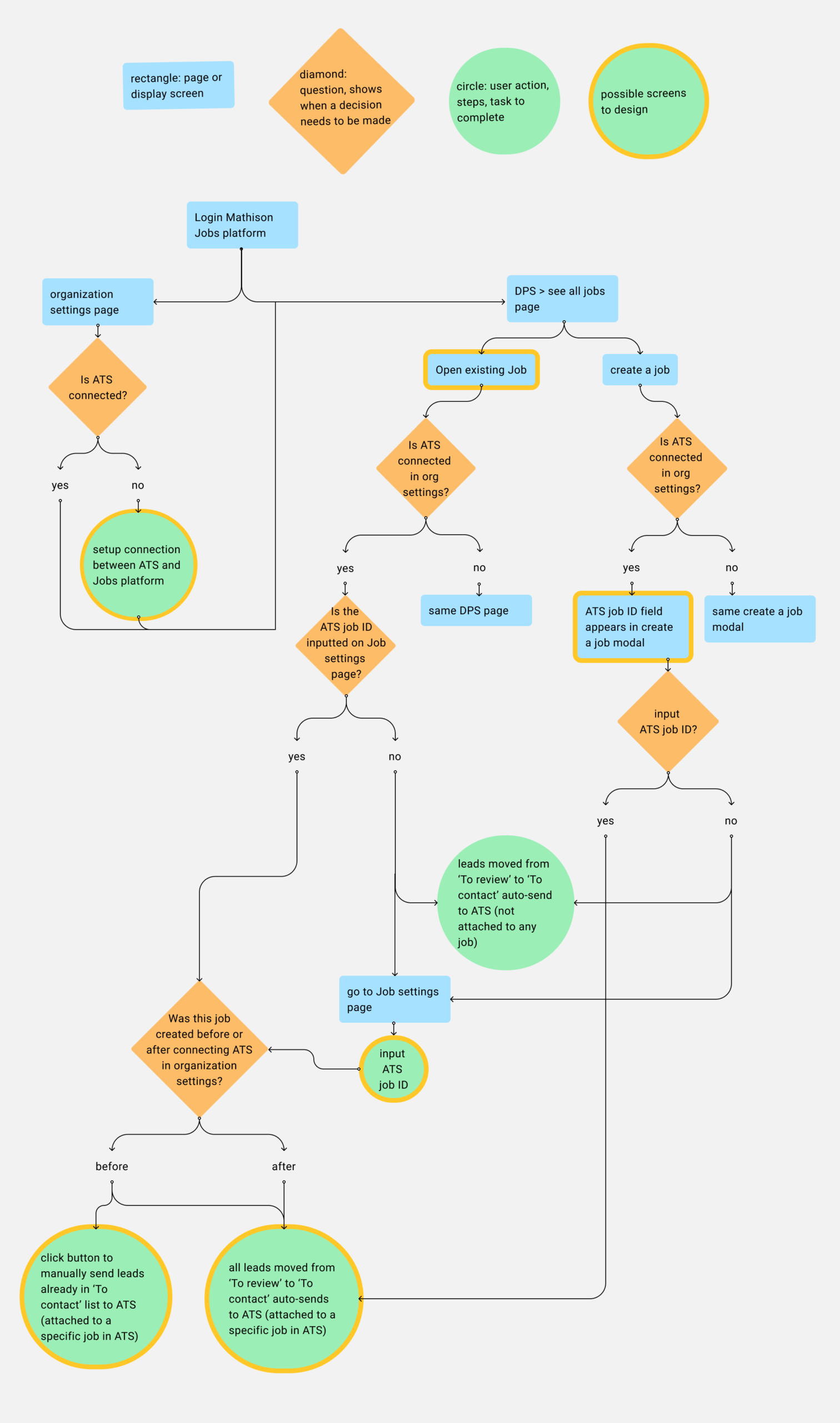
To design the ATS integration, I analyzed how recruiters transfer candidates into their ATS & where friction occurred. I audited the workflow, reviewed ATS patterns, & aligned with PM, engineering, & Customer Impact team on user needs & constraints.
ATS & competitor research
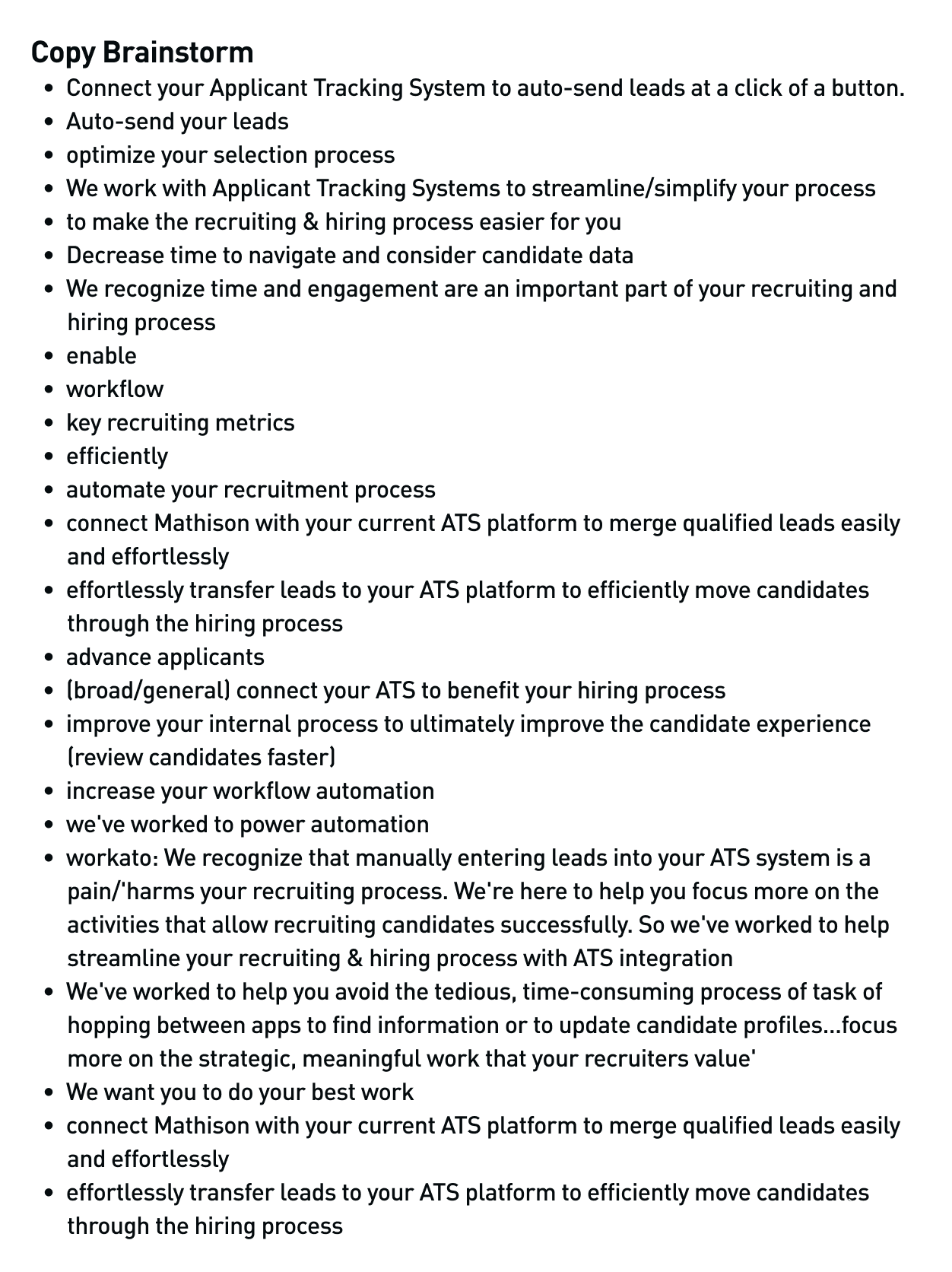
Leveraged content design to minimize load
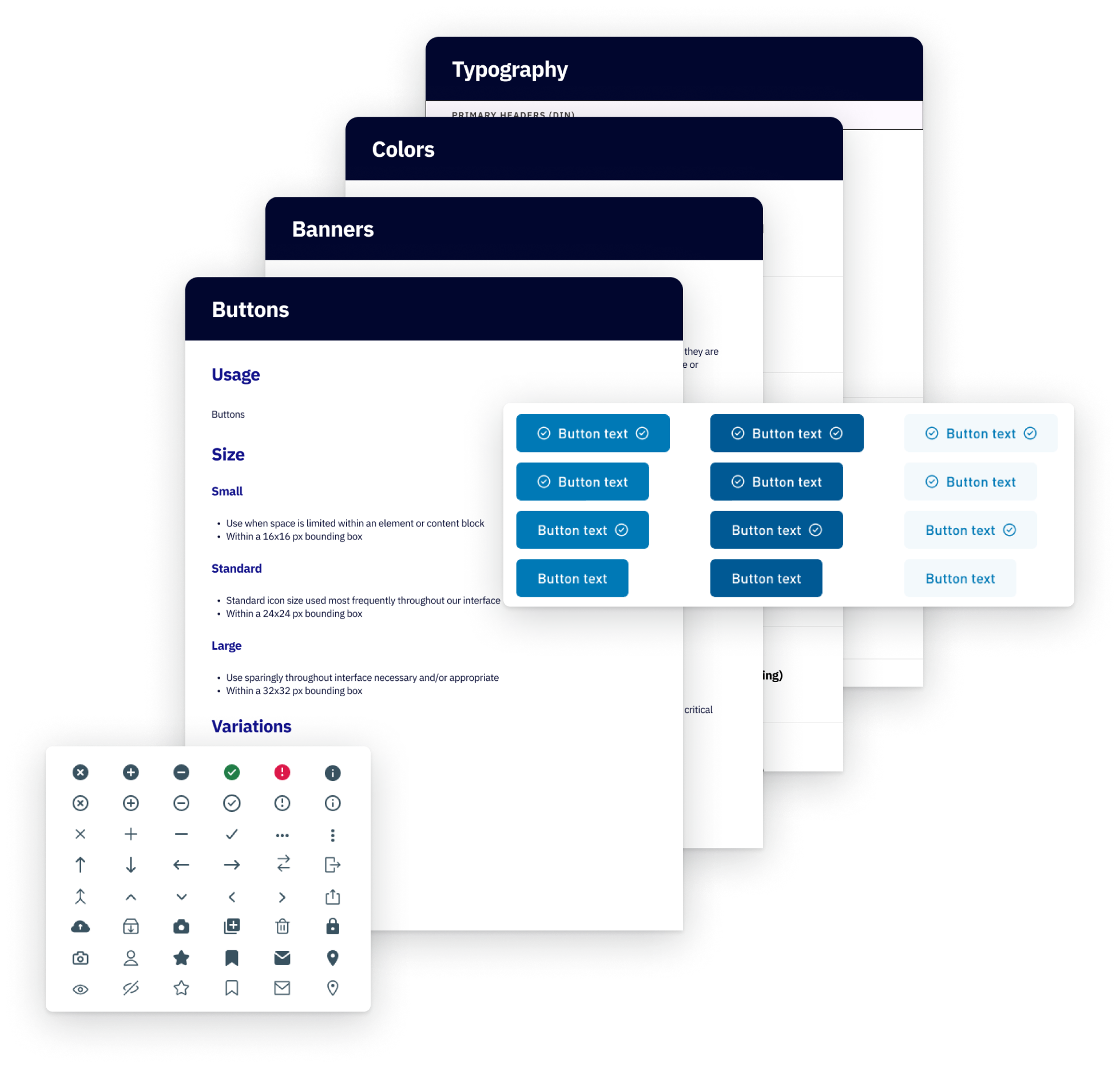
Design system research
Flow diagram
Design Goals
Seamless integration into recruiters' existing ATS workflows
- Minimize setup friction & reduce reliance on Customer Impact team
- Clearly communicate how the integration works & limitations
- Prevent user error through guided interactions
DESIGN PROCESS: SYSTEM DESIGN
Defining the Integration Experience.
Recruiters needed Mathison to fit into existing ATS workflows, not introduce another tool to manage.
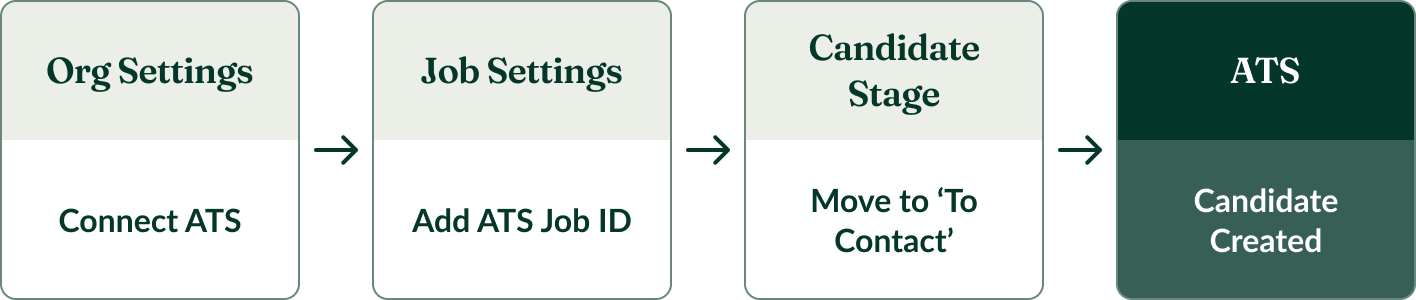
I embedded the integration within familiar touchpoints & designed the end-to-end experience across 3 key moments: connecting the ATS, adding ATS job IDs, & sending candidates.
Core Integration Workflows
Connect ATS
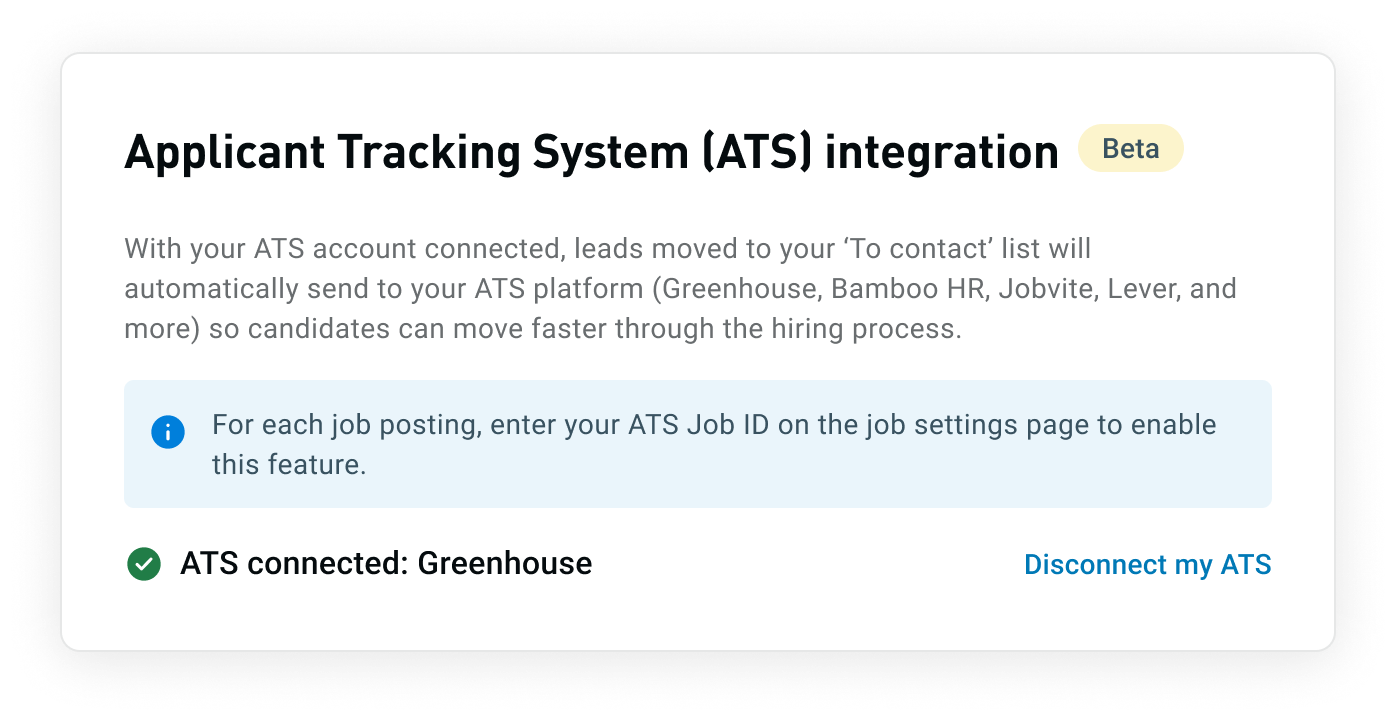
The initial ATS connection lives in Organization Settings where platform settings are managed, enabling syncing across all roles & aligning with user expectations.
Configure Job ID
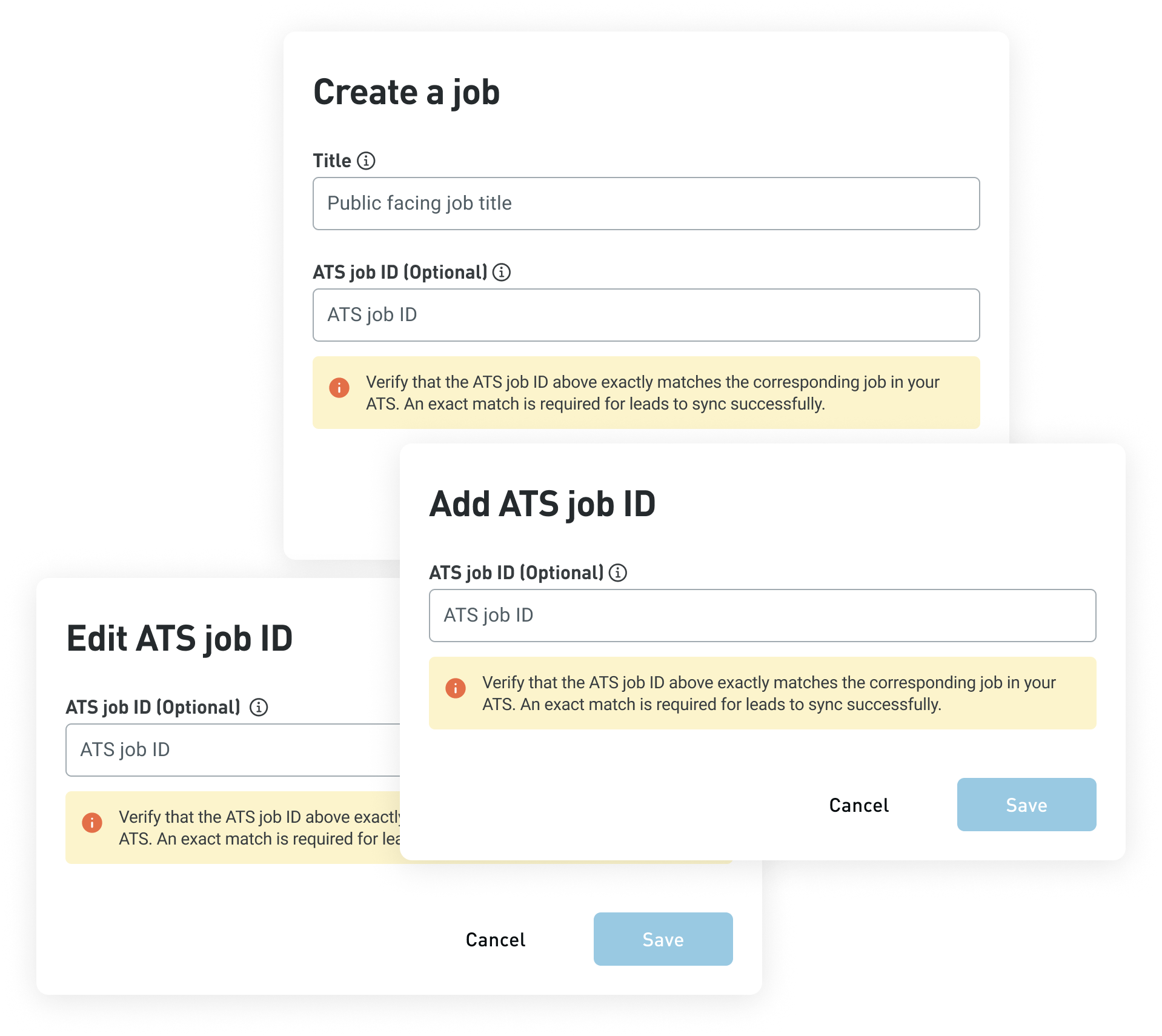
The highest-risk point in the experience was configuring the ATS job ID. Because the system couldn't validate inputs (a limitation of the ATS integration), incorrect IDs would silently fail—candidates wouldn't appear in the ATS, leaving users unsure whether the integration worked.
How might we ensure that users enter the ATS job ID correctly without real-time validation?
To prevent errors, I surfaced system limitations at each ATS job ID entry point using high-visibility, non-alarming guidance.
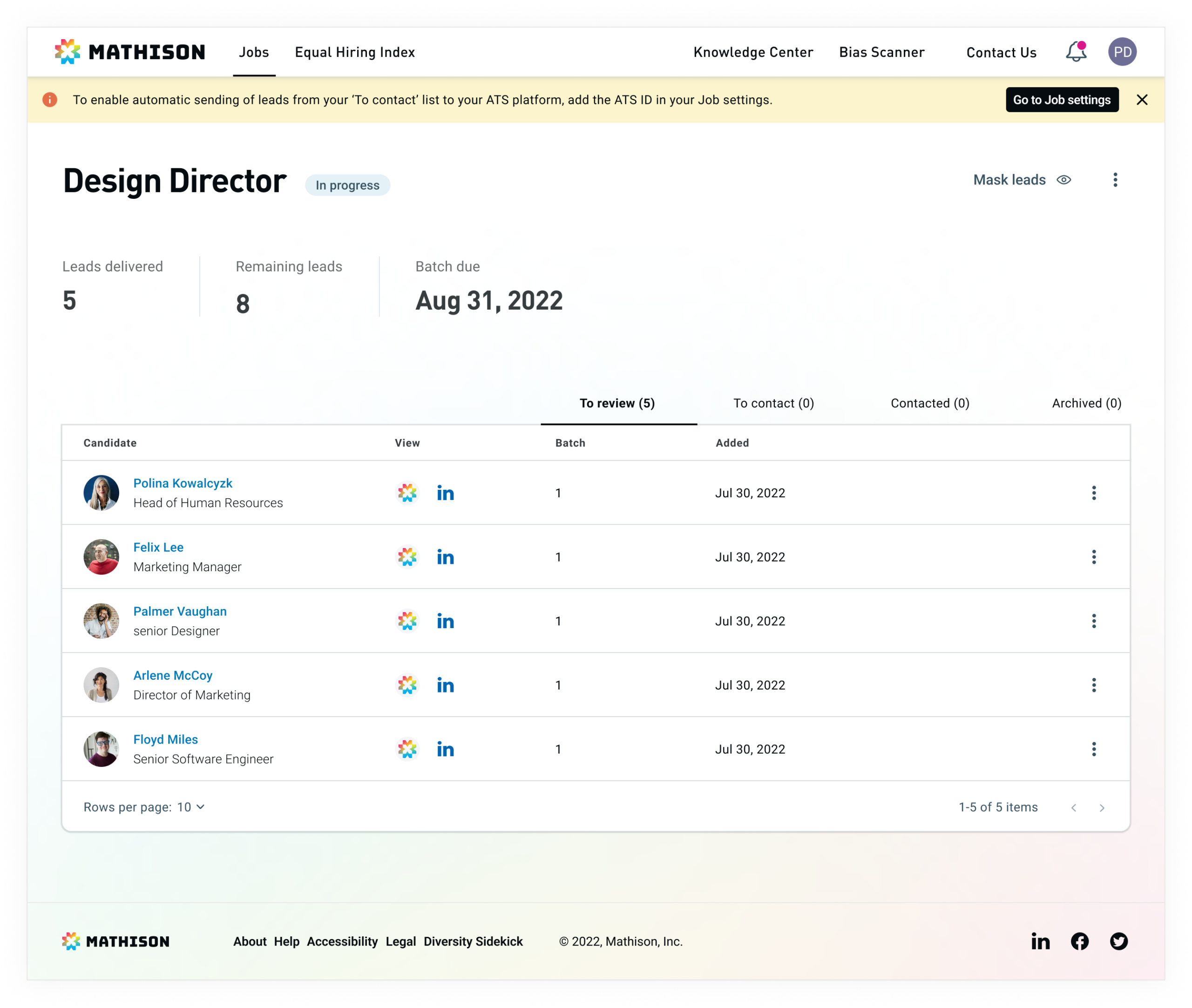
Banner on the job page reinforces that candidates are only sent when the job ID matches to avoid confusion.
Send Candidates
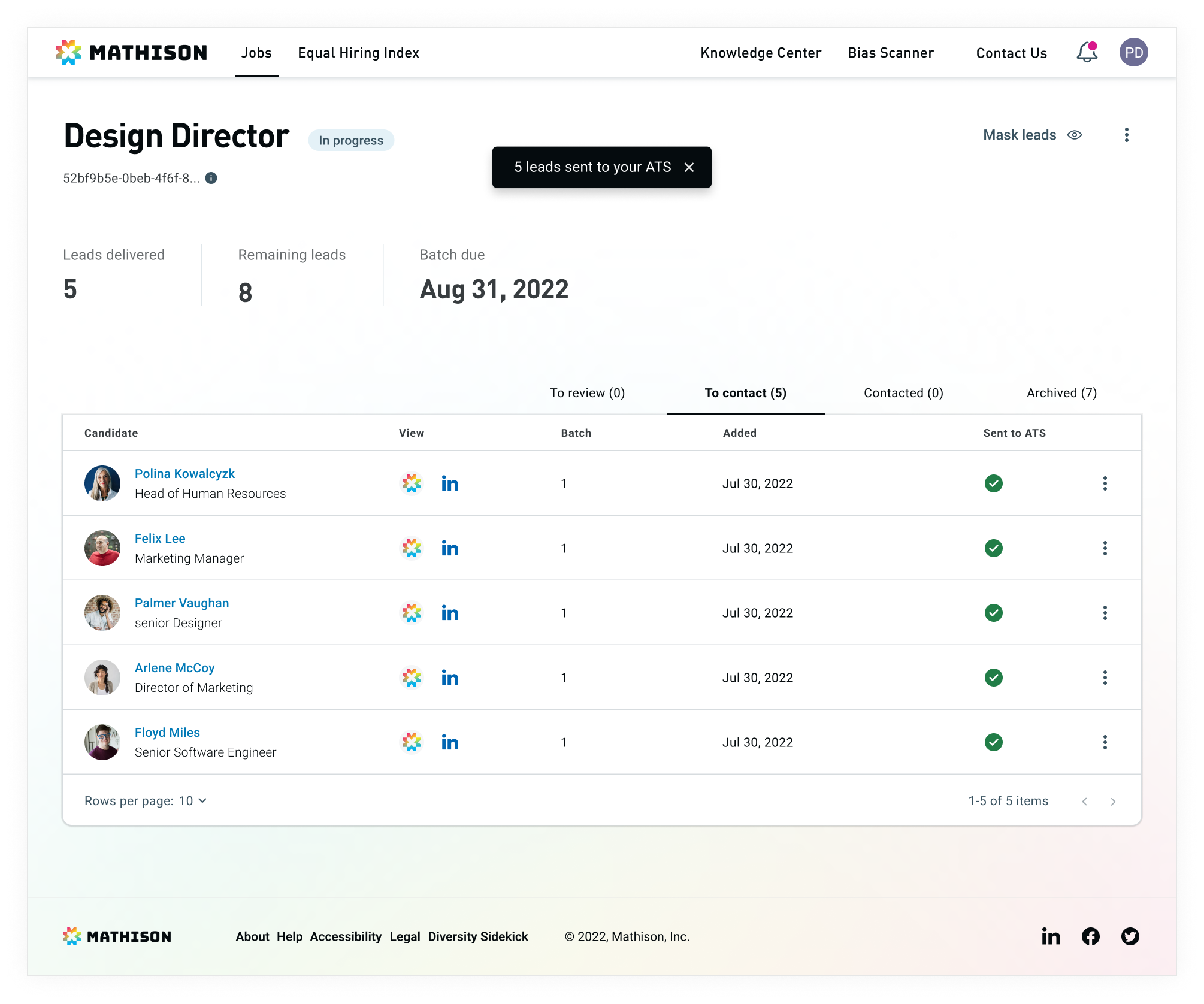
Once the ATS job ID is entered, candidates auto-send to user's ATS when moved to 'To contact,' completing the workflow without additional user effort.
DESIGN PROCESS: UI DESIGN
Refining the Setup Experience.
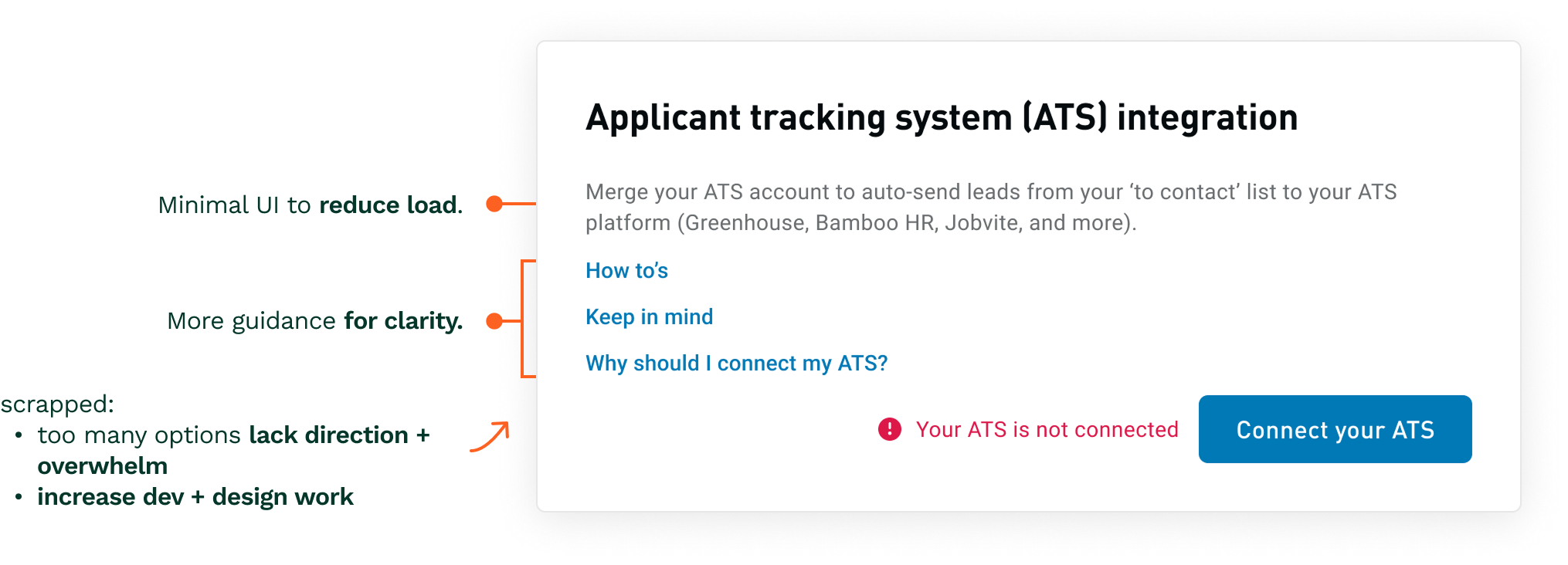
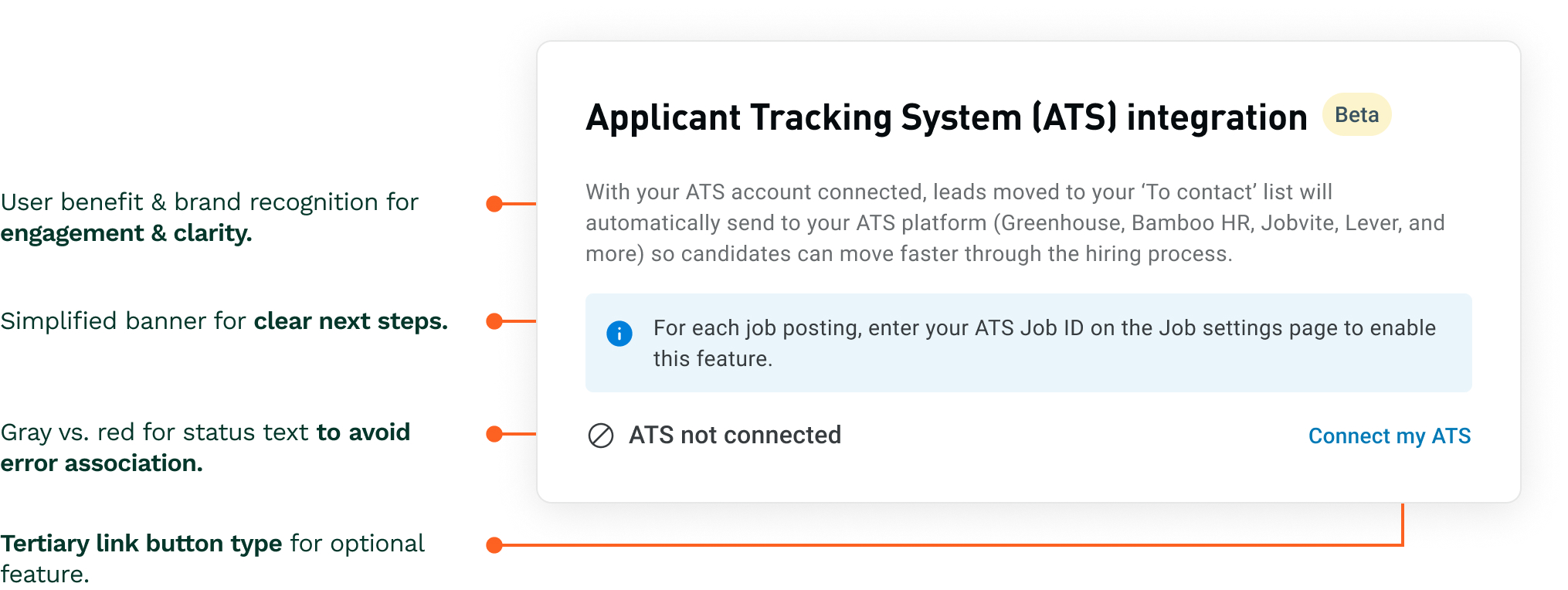
Early designs made setup feel complex & unclear. Some tradeoffs I explored included more guidance (multiple links, detailed banners) which increased clarity but felt overwhelming, & minimal UI to reduce cognitive load but lacked direction.
I simplified the experience with concise, contextual guidance—keeping setup clear, fast, & focused.
Early Design
Final Design
Reducing Input Ambiguity in Job Setup
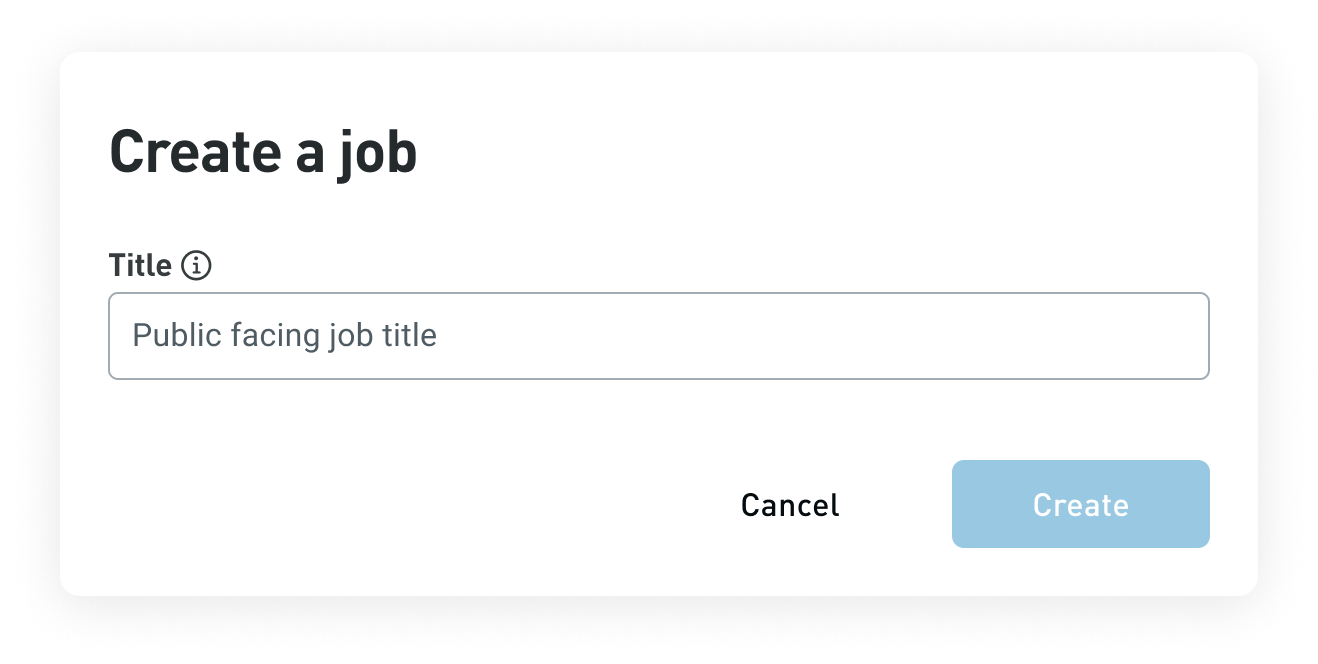
The job creation flow introduced confusion. Multiple fields—Title, Custom job ID & ATS job ID—made input unclear & increased risk of error.
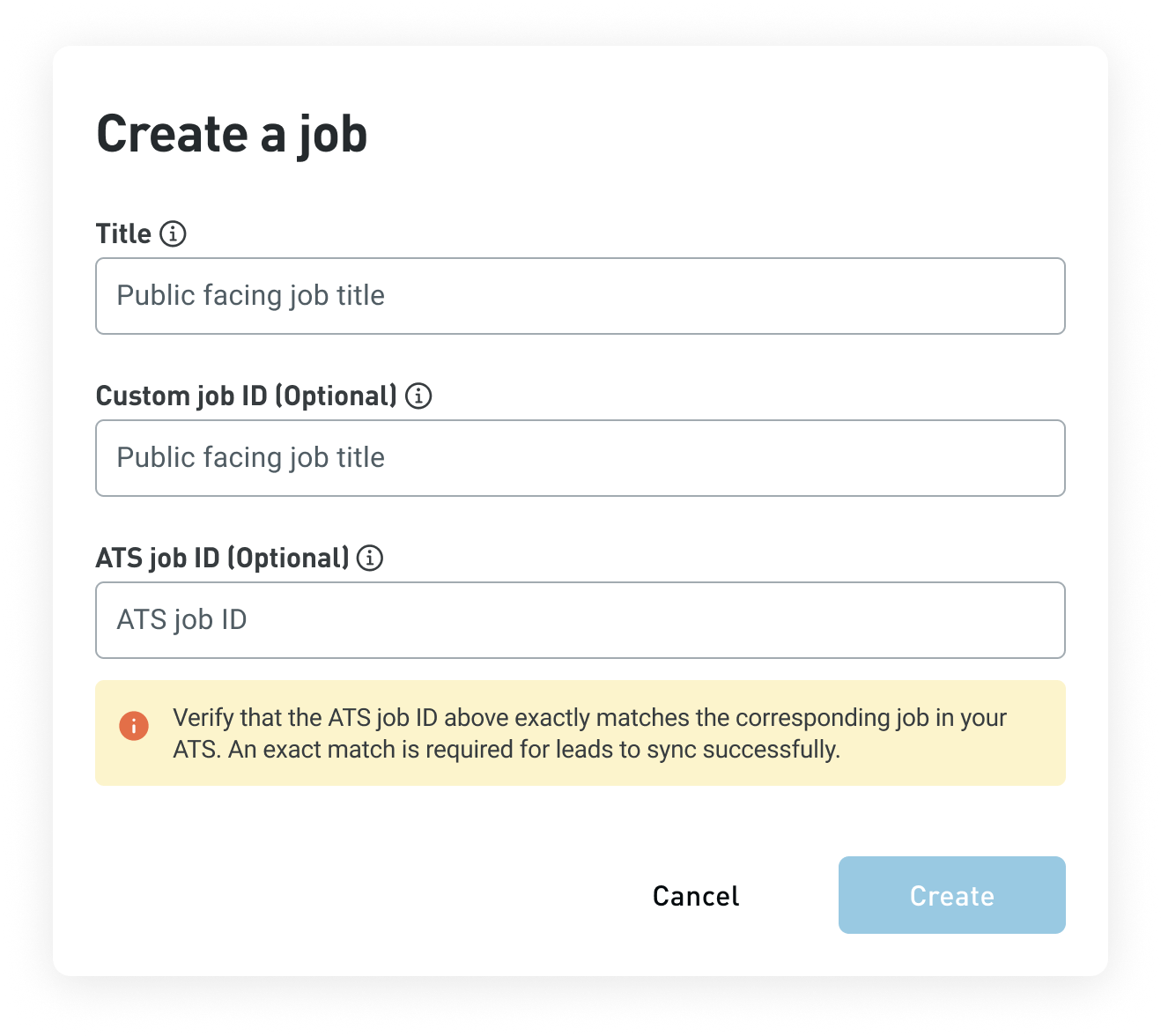
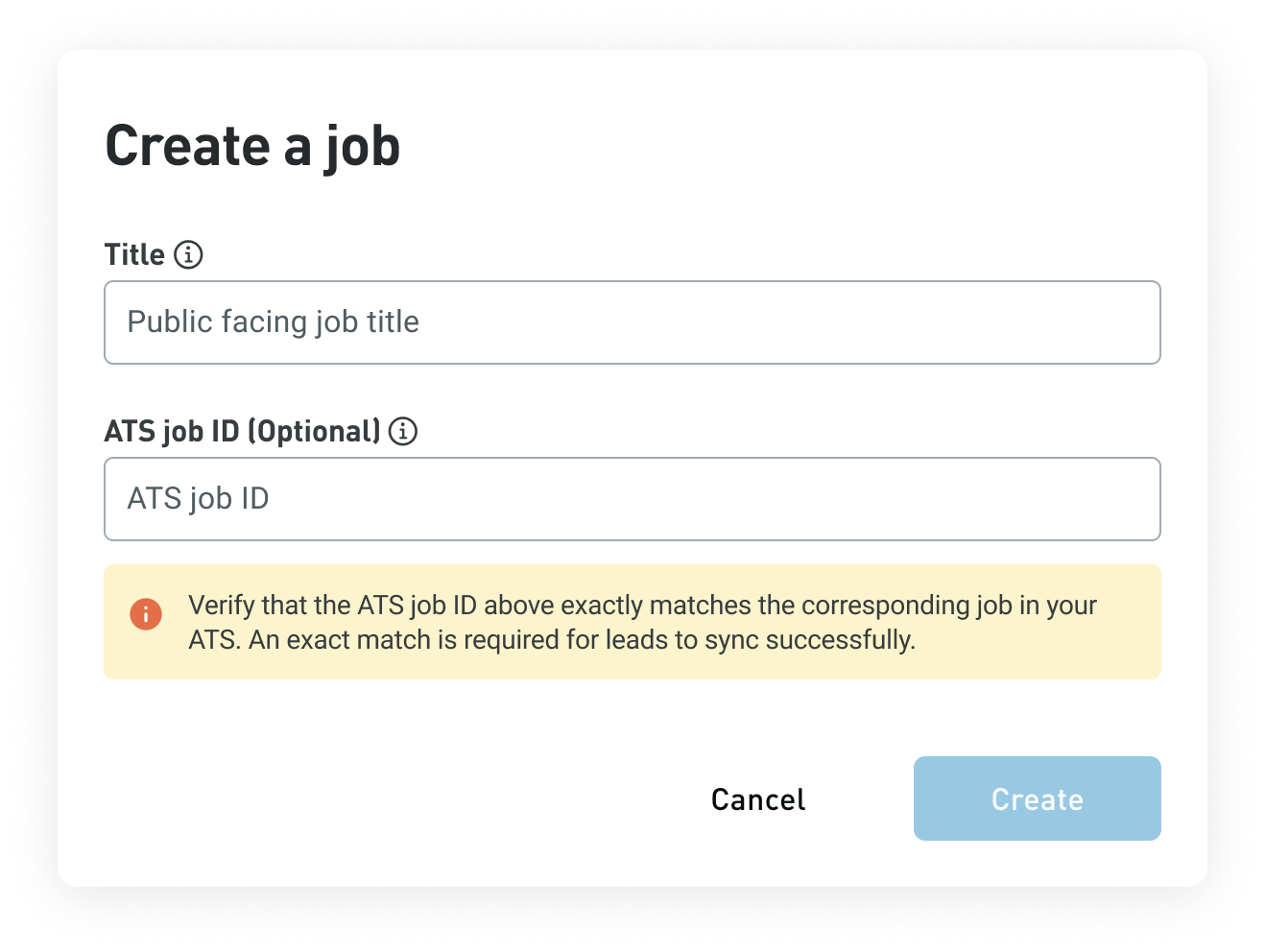
After learning the Custom job ID was rarely used, I reduced confusion & input error while lowering Customer Impact team support needs by:
- Removing Custom job ID field
- Introducing a conditional ATS job ID field
ATS Connected in Org Settings
ATS Not Connected in Org Settings
DESIGN PROCESS
Guiding Users Through a Multi-Step Integration.
To keep users oriented through a multi-step process across the product, I used contextual guidance.
Step 1: Blue banner directs user to next step.
↓
Step 2: Yellow banner prompts to complete setup.
Outcome: prevents breakdowns from multiple user permissions; users could complete setup without full context or admin access.
↓
Step 3: System Feedback for State Confirmation.
DESIGN PROCESS
Designing for Real-World Use.
To maintain a consistent user experience, I also designed for disconnect & error states, & reduced friction by supporting alternate paths.
IMPACT
Reduced Manual Data Entry by ~90% through ATS Integration.
Recruiter data entry reduced by ~90% by eliminating manual candidate transfer & enabling automatic syncing to recruiters' ATS. The integration addressed a key retention risk & improved overall usability. The feature remains live & promoted 3 years later, indicated sustained customer value.
REFLECTION
Designing for Ambiguity, Constraints, & Real-World Use.
This project pushed me to think beyond the ideal flow & design around ambiguity, system limitations, & shared workflows. I learned to:
- account for system constraints through clear communication
- seamlessly guide users through a new process
- design for multi-user environments with varying context & permissions
Looking back, I learned to quickly prioritize & act on high-impact issues as they emerge mid-process—like the job ID ambiguity, which was critical to resolve for usability.
Let's connect!
© 2026 Natasha Mislang